Thursday, November 4, 2010

Microsoft ADO NET Step by Step


by Rebecca M. Riordan ISBN: 0735612366
Microsoft Press © 2002 (512 pages)
Learn to use the ADO.NET model to expand on data-bound Windows and
Web Forms, as well as how XML and ADO.NET intermingle.
Table of Contents
Microsoft ADO.NET Step by Step
Introduction
Part I - Getting Started with ADO.NET
Chapter 1 - Getting Started with ADO.NET
Part II - Data Providers
Chapter 2 - Creating Connections
Chapter 3 - Data Commands and the DataReader
Chapter 4 - The DataAdapter
Chapter 5 - Transaction Processing in ADO.NET
Part III - Manipulating Data
Chapter 6 - The DataSet
Chapter 7 - The DataTable
Chapter 8 - The DataView
Part IV - Using the ADO.NET Objects
Chapter 9 - Editing and Updating Data
Chapter 10 - ADO.NET Data-Binding in Windows Forms
Chapter 11 - Using ADO.NET in Windows Forms
Chapter 12 - Data-Binding in Web Forms
Chapter 13 - Using ADO.NET in Web Forms
Part V - ADO.NET and XML
Chapter 14 - Using the XML Designer
Chapter 15 - Reading and Writing XML
Chapter 16 - Using ADO in the .NET Framework
Index
List of Tables
List of Sidebars

Download
Another Database Books
Another .NET Books

MCAD/MCSD Self-Paced Training Kit: Developing XML Web Services and Server Components with Microsoft Visual Basic .NET and Microsoft Visual C# .NET


by Microsoft Corporation ISBN:0735615861
Microsoft Press © 2003 (651 pages)

Use this study guide to learn how to build XML Web services and server components with Microsoft Visual Basic .NET and Visual C# .NET as you prepare for MCAD or MCSD certification (Exams 70-310 and 70-320).
CD Content CD Content
Table of Contents
MCAD/MCSD Self-Paced Training Kit—Developing XML Web Services and Server Components with Microsoft Visual Basic .NET and Microsoft C# .NET
About This Book
Chapter 1 - Understanding the .NET Framework
Chapter 2 - Creating and Managing Windows Services
Chapter 3 - Creating and Consuming Serviced Components
Chapter 4 - Creating and Consuming .NET Remoting Objects
Chapter 5 - Database Programming Using ADO.NET
Chapter 6 - Accessing and Manipulating XML Data
Chapter 7 - Creating and Consuming XML Web Services
Chapter 8 - Advanced XML Web Services Programming
Chapter 9 - Testing and Debugging XML Web Services
Chapter 10 - Deploying XML Web Services and Windows Services
Appendix A - Questions and Answers
Appendix B - COM Interoperability
Glossary
Index
List of Figures
List of Tables


Download
Another Web Programming Books
Another XML Books

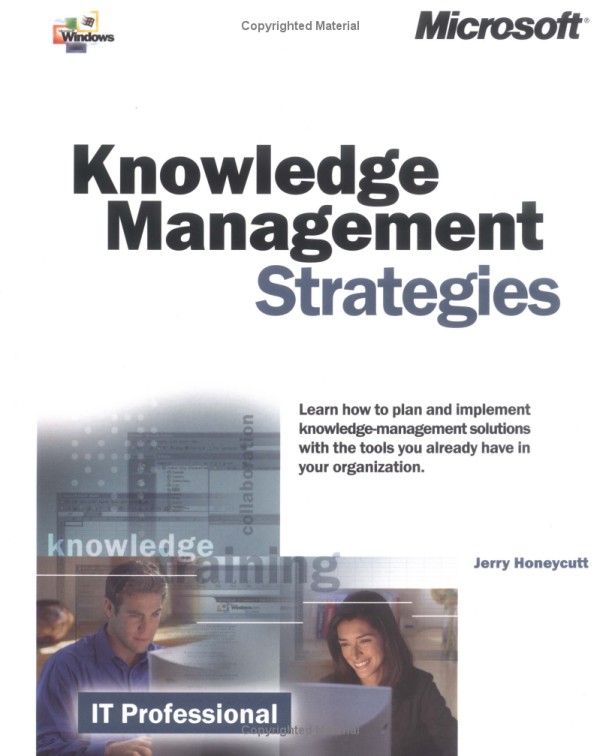
Knowledge Management Strategies


Table of Contents

Knowledge Management Strategies

Introduction

Part I - Organization

Chapter 1
-
Knowledge Sources

Chapter 2
-
Organizational Barriers

Part II - Process

Chapter 3
-
Product Design

Chapter 4
-
Customer Management

Chapter 5
-
Employee Management

Chapter 6
-
Business Planning

Part III - Technology

Chapter 7
-
Digital Dashboard

Chapter 8
-
Microsoft Exchange Web Storage System

Chapter 9
-
Wireless Solutions

Chapter 10
-
Intelligent Interfaces

Part IV - Appendix

Appendix
-
Technology Roadmap

Glossary

Index

List of Figures

List of Sidebars


Download
Another Layman Books

Tuesday, November 2, 2010

XML and SQL,Developing Web Applications


Copyright
Introduction
Who Should Read This Book?
Why Would You Read This Book?
The Structure of This Book
My Day Job in the Multimodal World
Acknowledgments
About the Author

Chapter 1. Why XML?
The Lesson of SGML
What About XML?
Why HTML Is Not the Answer
The Basics of XML
Why You Don't Need to Throw Away Your RDBMS
A Brief Example
Great! How Do I Get Started?
Summary

Chapter 2. Introducing XML and SQL: A History Lesson of Sorts
Extensible Markup Language (XML)
Structured Query Language (SQL)
Fitting It All Together
Summary

Chapter 3. Project Definition and Management
An Illustrative Anecdote
How to Capture Requirements
CyberCinema: The Adventure Begins
Requirements Gathering
Functional Requirements Document
Quality Assurance
Project Management
The Technical Specification Document
Summary

Chapter 4. Data Modeling
Getting Data-Centric
Roll Film: Back to CyberCinema
Summary

Chapter 5. XML Design
Carving Your Rosetta Stone
Where Is the DTD Used?
When to Use XML and When Not to Use It
Building a DTD
CyberCinema: The Rosetta Stone Meets the Web
Summary

Chapter 6. Getting Relational: Database Schema Design
Knowing When to Let Go
First Steps
Decomposing CyberCinema
Summary

Chapter 7. Related Standards: XSLT, XML Schema, and Other Flora and Fauna
XSLT: XML Transformers!
So How Does XSLT Work Exactly?
XML Schema: An Alternative to DTDs
Querying XML Documents
XML Query
SQLX: The Truth Is Out There
Summary

Chapter 8. XML and SQL Server 2000
Retrieving Data in XML Format
Communicating with SQL Server over the Web
Retrieving Data in XML Formatė¾…ontinued
Defining XML Views
Let SQL Server Do the Work
Working with XML Documents
Summary

Chapter 9. Java Programming with XML and SQL
Dealing with XML in Java
JDBC, JNDI, and EJBs
J2EE Application Servers
Summary

Chapter 10. More Examples: Beyond Silly Web Sites
Building a Web Service
E-Commerce
Taxonomical Structure
Document Management and Content Locking
Versioning and Change Management
Summary
Appendix
Bibliography
Books
Web Sites

Download
Another XML Books
Another Database Books
Another Web Programming Books

Use Case Modeling


Title: Use Case Modeling
ISBN: 0201709139
Author: Kurt Bittner / Ian Spence
Publisher: Addison Wesley
Page: 384
Format: CHM
Size: 1388k
Summary: A guide to creating use-case models and writing the detailed descriptions of use cases. The text is intended to be a ready-reference for the practitioner, the person who is actually doing the work and grappling with the unique problems of working with use cases.

Developers who effectively employ use cases deliver better applications--on time and under budget. The concept behind use cases is perhaps as old as software itself; they express the behavior of systems in terms of how users will ultimately interact with them. Despite this inherent simplicity, the use case approach is frequently misapplied, resulting in functional requirements that are confusing, cumbersome, or redundant.

In Use Case Modeling, experienced use case practitioners Kurt Bittner and Ian Spence share their tips and tricks for applying use cases in various environments. They delve into all aspects of use case modeling and management, demonstrating how development teams can capitalize on the approach's simplicity when modeling complex systems.

In this ready reference, readers will discover how to:

Introduce a development team to use cases and implement a use case approach

Identify the key elements of a use case model, including actors; and the components of a use case, including basic flow, preconditions, post-conditions, sub-flows, and alternate flows

Master the objectives and challenges of creating detailed descriptions of use cases

Improve their descriptions' readability and consistency

Prevent and remedy common problems arising from the misuse of include, extend, and generalization use case relationships.

Organize and conduct a review of a use case model to realize the best possible approach


The book draws extensively on best practices developed at Rational Software Corporation, and presents real-life examples to illustrate the considerable power of use case modeling. As such, Use Case Modeling is sure to give development teams the tools they need to translate vision and creativity into systems that satisfy the most rigorous user demands.


Download
Another Software Engineering Books

Microsoft C# Language Specifications


Table of Contents
Microsoft C# Language Specifications. ................................................................2
Preface. .................................................................................................................3
Section 1 - Introduction.......................................................................................4
Section 2 - Lexical structure................................................................................44
Section 3 - Basic concepts..................................................................................58
Section 4 - Types.................................................................................................73
Section 5 - Variables............................................................................................81
Section 6 - Conversions.......................................................................................86
Section 7 - Expressions........................................................................................92
Section 8 - Statements.........................................................................................145
Section 9 - Namespaces......................................................................................165
Section 10 - Classes..............................................................................................171
Section 11 - Structs................................................................................................218
Section 12 - Arrays.................................................................................................225
Section 13 - Interfaces............................................................................................228
Section 14 - Enums.................................................................................................243
Section 15 - Delegates............................................................................................246
Section 16 - Exceptions...........................................................................................248
Section 17 - Attributes..............................................................................................250
Section A - Unsafe code.........................................................................................258
Section B - Interoperability......................................................................................270
Section C - References............................................................................................281


Download
Another C# Books

Monday, November 1, 2010

AspectJ in Action


This book is divided into three parts. If you are new to AOP and AspectJ, you
should first read part 1 followed by at least a couple of chapters in part 2. Within
part 3, you can read chapters in any sequence. If you find that one of the sections
specifically addresses your current problem, start using the techniques I present,
learn from the experience, and go from there. You can also choose to study all
the other chapters and apply hybrid techniques to suit your current needs.

Most chapters in parts 2 and 3 follow a pattern of presenting a conventional
solution followed by an AspectJ solution that implements the identical functionality.
This pattern provides better understanding of the problem domain, and
comparing the two solutions shows the effectiveness of AspectJ.
Part 1 introduces the aspect-oriented programming methodology and the
AspectJ language.
Chapter 1 introduces the problems aspect-oriented programming aims to
address and explains how it handles them. We discuss the concern decomposition
of a system, the classification of concerns, and issues with current implementations
of crosscutting concerns. We then show how AOP helps modularize
those concerns.
Chapter 2 introduces the AspectJ programming language. We discuss the various
language concepts and constructs. The join point model presented in this
chapter is the most fundamental concept in AspectJ. We finish the chapter by
briefly showing the IDE support for AspectJ.
Chapter 3 gets into the details of the AspectJ language by examining the
concepts of pointcuts, advice, the introduction mechanism, and so forth.
This chapter provides you with enough information to start writing simple
AspectJ programs.
Chapter 4 shows the advanced concepts in AspectJ that you need to understand
before you start writing nontrivial AspectJ programs.

Part 2 examines the real-world application of AspectJ using simple constructs.
Chapter 5 introduces logging and monitoring using AspectJ. We show how
AspectJ includes logging in a system without touching any of its core modules.
You’ll also see the ease with which you can switch between different logging APIs.
Chapter 6 shows how to enforce system wide contracts through policy-enforcement
aspects. We offer a few simple examples that serve as building blocks. Then we
describe an implementation of a UI application and EJB policy enforcement.
Chapter 7 examines how AspectJ can modularize the optimization concerns of
pooling and caching. We study a generic template and utilize it to address the
concrete challenges of JDBC connection and thread pooling. We finish the chapter
with a caching example.

Part 3 examines the advanced application of AspectJ. You must have a good
understanding of AspectJ before reading this part of the book.
Chapter 8 introduces a few brand-new AspectJ patterns. We also show a few
idioms to avoid certain common pitfalls. Some of these patterns are original con
tributions from the author. This chapter is required reading before you tackle
any of the remaining chapters in part 3, because all of the chapters use one or
more of the patterns we present.
Chapter 9 addresses the modularization of thread safety using AspectJ. We
specifically address two problems: the thread safety of Swing applications and
the read-write lock pattern.
Chapter 10 examines the use of AspectJ for authentication and authorization.
We utilize JAAS to implement the underlying authentication and authorization
functionality and use AspectJ to achieve modularization.
Chapter 11 explains how AspectJ can separate the transaction concern from
the core concern. We examine a JDBC-based as well as a JTA-based transaction.
Chapter 12 shows a novel application of AspectJ—we utilize it to modularize
business rule implementations. We discuss AspectJ-based solutions that use plain
Java as well as a rule engine (Jess) that evaluates the business rules.
Chapter 13 rounds out the book by showing a pragmatic approach to adopting
AspectJ.
The two appendices explain, in detail, how to use the AspectJ compiler and
AspectJ/Ant integration. In “Resources,” you will find a wealth of information,
both text and online, related to AspectJ.

Download
Another Java Books
Another Software Engineering Books

Office Access 2003 Inside Out


Part 1
Understanding Microsoft
Access
Chapter 1
What Is Microsoft Access? . . . . . . . 3
Chapter 2
The Many Faces of
Microsoft Access . . . . . . . . . . . . . 17
Chapter 3
Designing Your Database
Application. . . . . . . . . . . . . . . . . . 53
Part 2
Building a Microsoft Access
Desktop Application
Chapter 4
Creating Your Database
and Tables . . . . . . . . . . . . . . . . . . 85
Chapter 5
Modifying Your Table Design . . . . 139
Chapter 6
Impoting and Linking Data. . . . . 179
Chapter 7
Creating and Working
with Simple Queries . . . . . . . . . . 219
Chapter 8
Building Complex Queries . . . . . . 277
Chapter 9
Modifying Data with
Action Queries . . . . . . . . . . . . . . 337
Part 3
Creating Forms and Reports
in a Desktop Application
Chapter 10
Using Forms . . . . . . . . . . . . . . . 365
Chapter 11
Building a Form . . . . . . . . . . . . . 397
Chapter 12
Customizing a Form . . . . . . . . . . 433
Chapter 13
Advanced Form Design. . . . . . . . 481
Chapter 14
Using Reports . . . . . . . . . . . . . . 523
Chapter 15
Constructing a Report . . . . . . . . 537
Chapter 16
Advanced Report Design . . . . . . 555
Part 4
Designing an
Access Project
Chapter 17
Building Tables in an
Access Project . . . . . . . . . . . . . 599
Chapter 18
Building Queries in an
Access Project . . . . . . . . . . . . . 637
Chapter 19
Designing Forms in an
Access Project . . . . . . . . . . . . . 685
Chapter 20
Building Reports in an
Access Project . . . . . . . . . . . . . 701
Part 5
Automating an Access
Application
Chapter 21
Understanding Event
Processing . . . . . . . . . . . . . . . . . 713
Chapter 22
Understanding Visual
Basic Fundamentals . . . . . . . . . . 757
Chapter 23
Automating Your Application
with Visual Basic . . . . . . . . . . . . 857
Chapter 24
The Finishing Touches . . . . . . . . 927
Part 6
Linking Access and
the Web
Chapter 25
Publishing Data on the Web . . . . 961
Chapter 26
Creating Static and
Dynamic Web Pages . . . . . . . . . . 985
Chapter 27
Building Data Access Pages . . . 1015
Chapter 28
Working with XML
and SharePoint . . . . . . . . . . . . . 1095
Part 7
After Completing Your
Application
Chapter 29
Upsizing a Desktop
Application to a Project . . . . . . 1133
Chapter 30
Securing Your Database . . . . . . 1163
Chapter 31
Distributing Your Application . . 1203
Part 8
Appendix
Appendix
Installing Microsoft Office . . . . 1223
Part 9
Articles
Article 1
Understanding SQL . . . . . . . . . . . A1
Article 2
Exporting Data . . . . . . . . . . . . . A45
Article 3
Visual Basic Function
Reference . . . . . . . . . . . . . . . . . A49
Article 4
Internet Explorer Web Page
Color Names . . . . . . . . . . . . . . . A59

Download

Another Layman Books

The Unicode Standard, Version 3.0


by The Unicode Consortium

Publisher: Addison-Wesley Professional 2000
ISBN/ASIN: 0201616335
ISBN-13: 9780201616330
Number of pages: 1072

Description:
The authoritative technical guide to the creation of software for worldwide use. The text includes detailed specifications for Unicode: structure, conformance, encoding forms, character properties, semantics, equivalence, combining characters, logical ordering, conversion, allocation, big/little endian usage, Korean syllables formation, control characters, case mappings, numeric values, mathematical properties, writing directions, character shaping, etc.

he Unicode Standard, Version 3.0 is THE authoritative source of information on the Unicode character-encoding standard, which makes it possible to create global software and share data across languages, nations, and locales worldwide. Encompassing all of the world's widely-used scripts and character sets, Unicode represents the foundation for international software; it is already supported by Java TM, Windows NT/2000, NetWare, QuickDraw GX, and many other environments and applications. This authorized guide documents all essential elements of Unicode 3.0, including its basic principles, code charts, implementation techniques, and rules for conformance. It contains up-to-the-minute coverage of the latest scripts included in Unicode 3.0, as well as more than a decade's implementation experience from the world's leading experts in multilingual applications.


Book Info
Presents the authoritative source of information on the Unicode character encoding standard, the international character code for information processing including all major scripts of the world.

From the Back Cover

Unicode

* Characters for all the languages of the world
* The standard for the new millennium
* Required for XML and the Internet
* The basis for modern software standards and products
* The official way to implement ISO/IEC 10646
* The key to global interoperability

The Unicode Standard, Version 3.0

The authoritative, technical guide to the creation of software for worldwide use.

Detailed specifications for Unicode:

* Structure, conformance, encoding forms, character properties, semantics, equivalence, combining characters, logical ordering, conversion, allocation, big/little endian usage, Korean syllable formation, control characters, case mappings, numeric values, mathematical properties, writing directions (Arabic, Japanese, English, and so on), character shaping (Arabic, Devanagari, Tamil, and so on)

Expanded implementation guidelines by experts in global software design:

* Normalization, sorting and searching, case mapping, compression, language tagging, boundaries (characters, word, lines, and sentences), rendering of non-spacing marks, transcoding to other character sets, handling unknown characters, surrogate pairs, numbers, editing and selection, keyboard input, and more

Comprehensive charts, references, glossary, and indexes:

* Codes, names, appearances, aliases, cross-references, equivalences, radical-stroke ideographic index, Shift-JIS index, and more

CD-ROM

The comprehensive Unicode Character Database for:

* Character codes, names, properties, decompositions, upper- ,lower-, and title cases, normalizations, shaping

International, national, and vendor character mappings for:

* Western European, Japanese, Chinese, Korean, Greek, Russian, and others
* Windows, Macintosh, Unix, and Linux

Unicode Technical Reportsthat extend the standard for:

* Sorting, displaying, normalizing, linebreaking, compression, serialization, regular expressions, CR/LF, XML, case mappings, and more


Download
Another Software Engineering Books
The Ultimate Windows Server 2003 System Administrator Guide


The book is organized into three sections and an appendix:

The first four chapters focus on Windows Server 2003 concepts, deployment, and installation. They cover the role of the system administrator, Windows Server 2003 features, operating-system structure, and deployment and installation. Chapter 4 discusses getting started with tools such as the Microsoft Management Console.

The heart of the book, Chapters 5 through 14, is a discussion of fundamental administration topics. In a series of very technical chapters, we cover the Active Directory, user management, group policies, security, printer and file services, networking, and other topics essential to Windows Server 2003 system administration.

The last section of the book covers advanced tools and concepts (Chapters 15 through 17). It examines the Internet Information Service (IIS) and optional components—Terminal Services, System Management Server (SMS), Indexing Services, Message Queuing Services (MQS), Cluster Services—and other topics applicable to enterprise-level system administration.

The appendix, "Windows Server 2003 Commands and Utilities," is a quick reference for the most significant commands in the operating system and in the Windows Resource Kit.

A glossary of common terms is also provided.


Download
Another Network Books

Visual Basic® .NET Power Coding


By Paul Kimmel

Publisher : Addison Wesley
Pub Date : July 07, 2003
ISBN : 0-672-32407-5
Pages : 736


Visual Basic(R) .NET Power Coding is the experienced developer's guide to mastering advanced Visual Basic .NET concepts. Paul Kimmel saves readers time and money by providing thorough explanations of essential topics so you can quickly begin creating robust programs that have fewer bugs. He also demonstrates impotant concepts by using numerous real-world examples that include working code that has been tested against Visual Basic .NET 2003.

After a brief review of language idioms, Kimmel moves to more advanced techniques that help programmers solve their most challenging problems. Central to advanced development and deployment are chapters on security, Web services, ASP.NET programming, COM Interop, and Remoting. This book also covers thin client programming, which offers businesses a real solution to managing deployment and upgrades with Windows Forms using Reflection and HTTP. An appendix walks readers through migrating Visual Basic 6.0 applications to Visual Basic .NET. A companion Web site includes the complete downloadable source code, extensive reusable examples, and updates from the author.

This book can be read cover-to-cover or used as a reference to answer questions faced by experienced VB .NET developers, including:

Chapter 4: What can you do with Reflection technology?

Chapter 6: How can you safely incorporate multithreaded behavior into Visual Basic .NET applications?

Chapter 8: How would you serialize objects and implement Remoting for distributed projects?

Chapter 14: How do you return an ADO.NET DataSet from a Web service?

Chapter 18: What are the best practices for securing Web applications?

Visual Basic(R) .NET Power Coding empowers developers to exploit all the advanced features of Visual Basic .NET.

Copyright
Preface
Introduction
Who Should Read This Book
What's in This Book
Looking Ahead
Acknowledgments
About the Author
About the Technical Reviewers

Part I. Power Language Essentials
Chapter 1. Basic Language Constructs
Introduction
Declaring Variables
Value Types and Reference Types
Defining Structures and Classes
Understanding Object-Oriented Concepts
Intermediate Language
Summary

Chapter 2. Inheritance and Interfaces
Introduction
Inheriting Classes
Inheritance versus Aggregation
Defining Interfaces
Implementing Interfaces
Inheriting Interfaces
Multiple Interface Inheritance
Comparing Abstract Classes to Interfaces
Summary

Chapter 3. Delegates
Introduction
Implementing Event Handlers
Using the WithEvents Statement
Adding and Removing Event Handlers
Declaring Events in Classes, Structures, and Interfaces
What Are Delegates?
Exploring Existing Delegate Types
Delegates for Multithreading
Summary

Chapter 4. Reflection
Introduction
Implicit Late Binding
Discovering Type Information at Runtime
Loading Assemblies
Reviewing the Binder Class
Using the DefaultMemberAttribute
Reflecting Members
Practical Applications of Reflection
Reflecting Custom Attributes
Understanding Reflection and Security
Emitting IL Code at Runtime
Summary

Chapter 5. Attributes
Introduction
Applying Attributes
Using Assembly Attributes
Creating an About Dialog with Assembly Attributes
Creating Custom Attributes
Reflecting Attributes
Emitting Attributes to IL
Emitting Attributes by Using the CodeDom Classes
Attributes and Declarative Security
Summary

Chapter 6. Multithreading
Introduction
Familiar Slight of Hand with the Timer Control
Comparing Synchronous and Asynchronous Behavior
Processing Asynchronously in the .NET Framework
Programming with Threads
Multithreading in Windows Forms
Summary


Part II. Solution Building
Chapter 7. COM Interop
Introduction
Calling COM from .NET Code
Calling .NET Code from COM
Understanding Error Handling in COM Interop
Impoting ActiveX Controls into .NET
Debugging Interoperable Components
Additional Topics
Summary

Chapter 8. Remoting
Introduction
Understanding .NET Remoting
Marshaling Objects by Reference
Marshaling Objects by Value
Writing to the Event Log
Handling Remote Events
Other Remoting Subjects
Summary

Chapter 9. Building Custom Components
Introduction
Implementing a Custom Component
Implementing a Custom Windows Control
Adding a Control to the Toolbox
Implementing a Custom Windows User Control
Examining Control Attributes
Using the UITypeEditor Class
Implementing Type Conversion
Implementing an Extender Provider
Creating a Windows Control Designer
Using Default Properties
Implementing Custom Web Controls and Custom Web User Controls
Summary

Chapter 10. Auto-Updating Smart Clients in .NET
Introduction
Implementing a Hello, World! Thin Client
Configuring Smart Client and Server Precursors
Considering a Generic Application Loader
Creating a Microsoft Installer File to Manage Security Policies
Handling COM Components
Other Ideas
Summary

Chapter 11. ADO.NET Database Programming
Introduction
Fundamentals of ADO.NET
Defining a Database Connection
Filling a DataSet Object with an Adapter
Using the DataReader Class
Using the DataTable and DataView Classes
Defining Database Relationships
Using Command Objects
Generating SQL with a Command Builder
Updating a DataSet
Adding Data to a DataSet
Sorting and Filtering a DataSet
Summary

Chapter 12. Advanced ADO.NET
Introduction
Updating a DataView
Programming with Stored Procedures
Debugging Stored Procedures in Visual Studio .NET
Using Transactions
Creating a Typed DataSet
Serializing a DataSet
Programming with ADO.NET Interfaces
Summary


Part III. Web Programming
Chapter 13. Creating Web Services
Introduction
Finding Web Services
Consuming Existing Web Services
Creating a Web Service Application
Debugging and Testing Web Services
Deploying Web Services
Understanding XML Web Services and Security
Summary

Chapter 14. Advanced Web Services
Introduction
Returning Simple Data from Web Services
Returning Complex Data from a Web Service
Writing Web Services That Use DataSet Objects
Modifying the Proxy Class to Return Fat Objects
Returning a Strongly Typed Collection
Invoking Web Services Asynchronously
Summary

Chapter 15. Building ASP.NET Web Applications
Introduction
Designing the Screen Layout
Creating the Presentation with User Controls
Handling Application-Level Events
Caching Objects
Using Dynamic Interfaces with XML
Securing a Web Application with Forms Authentication
Summary

Chapter 16. Combining ADO.NET and ASP.NET
Introduction
Connecting to a Database
Using the DataView Class
Binding Data to Single-Value Web Controls
Binding Data to Multi-Value Web Controls
Paging and Sorting with DataGrid Controls
Using a DataList Control to Repeat Composite Controls
Converting Bound Columns to Template Columns
Managing Round-Trips to the Server
Summary


Part IV. Debugging and Administration
Chapter 17. Debugging .NET
Introduction
Viewing Debug Windows
Managing Breakpoints
Using Edit and Continue Behavior
Debugging, Asserting, and Tracing
Programming with Trace Listeners
Managing Debug Code with Boolean Switches
Logging Application Events
Using Performance Counters
Using the Process Class
Attaching to a Running Process
Debugging Windows Applications
Debugging Web Applications
Debugging Multi-Language Programs
Additional Topics
Summary

Chapter 18. Code Access Security
Introduction
What Is Code Access Security?
Programming Defensively
Managing Security Policy
Comparing Declarative and Imperative Security
Using Code Access Security Demands
Using Code Access Security Asserts
A Brief Review of Other Security Actions
General Recommendations
Summary

Appendix A. Migrating Visual Basic 6 Applications to Visual Basic .NET
Introduction
Before You Migrate
Visual Basic 6 Features Not Supported in .NET
Migrating Visual Basic 6 Windows Applications
Migrating Visual Basic 6 ASP Web Applications
Summary

Bibliography


Download
Another Visual BAsic Books
Another .NET Books

The UML Profile for Framework Architectures


Marcus Fontoura
Wolfgang Pree
Bernhard Rumpe
Publisher: Addison Wesley
First Edition December 01, 2001
ISBN: 0-201-67518-8, 240 pages


The UML community has begun to define a series of ’profiles’ which better suit the needs of UML-users within specific domains, settings or technologies.

The UML Profile for Framework Architectures provides a UML profile for object and component frameworks. It shows how to describe framework architectures and to support framework modeling and annotation by using UML-compliant extensions.

If you are a software developer, project manager, researcher or student interested in design patterns, framework technology or UML, this book is essential reading.


Preface
Acknowledgments
Traces of the book's history

I: The UML -F profile

1. Why a UML profile for frameworks?
1.1 UML profiles
1.2 Object-oriented frameworks–extensibility is the key
1.3 Pros and cons of frameworks
1.4 Goals of the UML -F profile

2. UML essentials for framework documentation
2.1 UML overview
2.2 Class diagrams
2.3 Object diagrams
2.4 Sequence diagrams
2.5 Summary

3. Basic elements of the UML -F profile
3.1 UML -F as a profile
3.2 UML -F tags – standard UML tagged values and stereotypes unified
3.3 Standard UML tags for framework documentation
3.4 UML -F presentation tags
3.5 UML -F framework tags
3.6 The UML -F mechanism for defining new tags
3.7 Summary

4. UML -F tags for framework construction principles and patterns
4.1 Unification principle – adaptation by inheritance
4.2 Separation principle – adaptation through composition
4.3 Terminology and concept excursion: abstract classes, abstract coupling, Java interfaces
4.4 Hooks as name designators of pattern catalog entries
4.5 UML -F tags for framework patterns
4.6 How essential framework construction principles scale
4.7 Summary

5. Framework adaptations of UML -F pattern annotations
5.1 Cookbooks for framework adaptation
5.2 A sample cookbook recipe
5.3 Recipe for adapting the Unification construction principle
5.4 Recipe for adapting the Separation construction principle
5.5 Recipe for adapting the Composite pattern
5.6 Automating the adaptation of UML -F pattern annotations
5.7 Summary

II: UML-F @ work

6. UML -F based documentation and adaptation of the JUnit testing framework
6.1 An overview of JUnit
6.2 Recipes for defining new tests
6.3 Organizing test cases into test suites
6.4 Reporting test results
6.5 Summary

7. Hints and guidelines for the framework development and adaptation process
7.1 The cluster cycle process model of framework development and adaptation
7.2 Defining the key abstractions as an initial step
7.3 Class families, class teams, and subsystems
7.4 Identification of a framework's variation points
7.5 The AOCS framework: a case study
7.6 The AOCS manager pattern
7.7 Framelets as an aid to framework design
7.8 eXtreme Design ( XD ), with implementation cases
7.9 Framework adaptations through cookbook recipes, adaptation cases, and adaptation reports
7.10 Summary
7.11 UML -F outlook

A. UML -F tag quick reference
A.1 Tag notations
A.2 Presentation tags
A.3 Basic framework modeling tags
A.4 Essential tags for the framework construction principles
A.5 Framework pattern tags

B. UML -F tags for the GoF framework patterns
B.1 Factory Method pattern tags
B.2 Template Method pattern tags
B.3 Abstract Factory pattern tags
B.4 Bridge pattern tags
B.5 Builder pattern tags
B.6 Command pattern tags
B.7 Interpreter pattern tags
B.8 Observer pattern tags
B.9 Prototype pattern tags
B.10 State pattern tags
B.11 Strategy pattern tags
B.12 Composite pattern tags
B.13 Decorator pattern tags
B.14 Chain of Responsibility ( COR ) pattern tags

Bibliography


Download
Another Software Engineering Books
Related Posts with Thumbnails

Put Your Ads Here!