Showing posts with label Smart Phone. Show all posts

Wednesday, September 7, 2011

Beginning Android Games


Contents at a Glance
Contents .............................................................................................................. v
About the Author ............................................................................................... xii
About the Technical Reviewer ......................................................................... xiii
Acknowledgments ............................................................................................ xiv
Introduction ....................................................................................................... xv
■ Chapter 1: Android, the New Kid on the Block ................................................ 1
■ Chapter 2: First Steps with the Android SDK ................................................. 25
■ Chapter 3: Game Development 101 ............................................................... 51
■ Chapter 4: Android for Game Developers .................................................... 103
■ Chapter 5: An Android Game Development Framework .............................. 185
■ Chapter 6: Mr. Nom Invades Android .......................................................... 229
■ Chapter 7: OpenGL ES: A Gentle Introduction .............................................. 269
■ Chapter 8: 2D Game Programming Tricks ................................................... 351
■ Chapter 9: Super Jumper: A 2D OpenGL ES Game ....................................... 429
■ Chapter 10: OpenGL ES: Going 3D ................................................................ 489
■ Chapter 11: 3D Programming Tricks ........................................................... 525
■ Chapter 12: Droid Invaders: the Grand Finale ............................................. 577
■ Chapter 13: Publishing Your Game .............................................................. 625
■ Chapter 14: What’s Next? ............................................................................ 637
Index.............................................................................................................. 641


Another Android Books
Another Smart Phone Books
Download

Tuesday, September 6, 2011

Developing Android Applications with Flex 4.5


Table of Contents
Preface . . . . . . . . . . . . . . . . . . . . . . . . . . . . . . . . . . . . . . . . . . . . . . . . . . . . . . . . . . . . . . . . . . . . . vii
1. Hello World . . . . . . . . . . . . . . . . . . . . . . . . . . . . . . . . . . . . . . . . . . . . . . . . . . . . . . . . . . . . 1
Create a Flex Mobile Project 1
Debug a Flex Mobile Project 10
2. Application Layouts . . . . . . . . . . . . . . . . . . . . . . . . . . . . . . . . . . . . . . . . . . . . . . . . . . . . 15
Blank Application 15
View-Based Application 17
View Life Cycle 24
Tabbed Application 25
3. Permissions and Configuration Settings . . . . . . . . . . . . . . . . . . . . . . . . . . . . . . . . . . . 29
Permissions 29
Other Configuration Settings 32
Automatically Reorient 33
Full Screen 33
Automatically Scale Application for Different Screen Densities 33
Aspect Ratio 33
4. Exploring the APIs . . . . . . . . . . . . . . . . . . . . . . . . . . . . . . . . . . . . . . . . . . . . . . . . . . . . . 35
Accelerometer 35
GPS 37
Camera UI 39
Camera Roll 43
Microphone 45
Multitouch 48
GestureEvent 48
TransformGesture 51
Busy Indicator 56
5. Working with the File System . . . . . . . . . . . . . . . . . . . . . . . . . . . . . . . . . . . . . . . . . . . . 59
File System Access 59
Folder Aliases 59
Read and Write to the File System 61
File Browse for a Single File 64
File Browse for Multiple Files 66
SQLite Databases 69
6. OS Interactions . . . . . . . . . . . . . . . . . . . . . . . . . . . . . . . . . . . . . . . . . . . . . . . . . . . . . . . . 75
Open in Browser 75
Create Text Message 77
Create Email 79
Place Call 81
Splash Screen 83
StageWebView 85
Screen Options 87
Layout 87
Full Screen 89
ActionBar 90
7. Publish to Android Installer . . . . . . . . . . . . . . . . . . . . . . . . . . . . . . . . . . . . . . . . . . . . . . 93

Another Smart Phone Books
Another Android Books
Download

Pro Android 3


Contents at a Glance
Contents ....................................................................................................................................................... vi
Foreword ................................................................................................................................................... xviii
About the Authors ....................................................................................................................................... xix
About the Technical Reviewer ..................................................................................................................... xx
Acknowledgments ...................................................................................................................................... xxi
Preface ....................................................................................................................................................... xxii
■ Chapter 1: Introducing the Android Computing Platform .......................................................................... 1
■ Chapter 2: Setting Up Your Development Environment ........................................................................... 21
■ Chapter 3: Understanding Android Resources ......................................................................................... 63
■ Chapter 4: Understanding Content Providers .......................................................................................... 89
■ Chapter 5: Understanding Intents .......................................................................................................... 125
■ Chapter 6: Building User Interfaces and Using Controls ........................................................................ 145
■ Chapter 7: Working with Menus ............................................................................................................ 217
■ Chapter 8: Working with Dialogs ........................................................................................................... 243
■ Chapter 9: Working with Preferences and Saving State ........................................................................ 265
■ Chapter 10: Exploring Security and Permissions .................................................................................. 287
■ Chapter 11: Building and Consuming Services ...................................................................................... 307
■ Chapter 12: Exploring Packages ............................................................................................................ 377
■ Chapter 13: Exploring Handlers ............................................................................................................. 399
■ Chapter 14: Broadcast Receivers and Long-Running Services .............................................................. 425
■ Chapter 15: Exploring the Alarm Manager ............................................................................................ 465
■ Chapter 16: Exploring 2D Animation ...................................................................................................... 491
■ Chapter 17: Exploring Maps and Location-based Services ................................................................... 519
■ Chapter 18: Using the Telephony APIs ................................................................................................... 559
■ Chapter 19: Understanding the Media Frameworks .............................................................................. 575
■ Chapter 20: Programming 3D Graphics with OpenGL ............................................................................ 623
■ Chapter 21: Exploring Live Folders ........................................................................................................ 693
■ Chapter 22: Home Screen Widgets ........................................................................................................ 711
■ Chapter 23: Android Search ................................................................................................................... 745
■ Chapter 24: Exploring Text to Speech .................................................................................................... 825
■ Chapter 25: Touch Screens .................................................................................................................... 845
■ Chapter 26: Using Sensors ..................................................................................................................... 891
■ Chapter 27: Exploring the Contacts API ................................................................................................. 937
■ Chapter 28: Deploying Your Application: Android Market and Beyond ................................................. 993
■ Chapter 29: Fragments for Tablets and More ...................................................................................... 1015
■ Chapter 30: Exploring ActionBar ......................................................................................................... 1069
■ Chapter 31: Additional Topics in 3.0 .................................................................................................... 1097
Index ....................................................................................................................................................... 1141


Another Android Books
Another Smart Phone Books
Download

Saturday, January 29, 2011

Pocket PC Network Programming


By Steve Makofsky

Publisher : Addison Wesley
Pub Date : July 11, 2003
ISBN : 0-321-13352-8
Pages : 656


Pocket PC Network Programming is the resource developers need to exploit the power of mobile technology and high-speed wireless connections. This book is a comprehensive tutorial and reference for writing network applications on Pocket PC 2002 and Pocket PC 2002 Phone Edition devices. It explains how the Pocket PC communicates with the Internet, with other mobile devices, and with networks. It teaches developers the basics of Pocket PC telephony, synchronization, and messaging.

Pocket PC Network Programming begins with a guide to writing applications that communicate over the Internet and then explores how to use Pocket PC devices with Windows-based networks, how these devices communicate over serial and infrared, and how they utilize Remote Access Services (RAS). The focus then shifts to the Pocket PC 2002 Phone Edition before turning to the building of applications designed for synchronization with a desktop computer. The final chapters cover the Pocket Outlook Object Model, the Mail API, and the .NET Compact Framework.

Key topic coverage includes:

Understanding the basics of Winsock, Windows Internet (WinINet), the IP Helper APIs, HTTP, and the File Transfer Protocol (FTP) Using network resources

Creating, establishing, and controlling dialup network connections

Integrating applications with the Pocket PC Connection Manager

Short Message Service (SMS) Messaging

Using the Global System for Mobile communication (GSM)

Interacting with the Subscriber Identity Module (SIM)

Remote control of a device from a desktop

Building an ActiveSync Service Provider

Building applications that integrate with Contact, Application, and Task data

Writing e-mail enabled applications

Programming and writing network applications and using Web Services with the .NET Compact Framework

Copyright
Figures
Preface
About This Book
Intended Audience for This Book
System Requirements
Organization of This Book
For Updated Information
Acknowledgments
Frequently Asked Questions

Chapter 1. Winsock
A Quick Look at TCP/IP
Winsock Basics
Streaming (TCP) Sockets
Connectionless (UDP) Sockets
TCP versus UDP: What Should Your App Use?
Internet Control Message Protocol (ICMP)
Socket Options
Support Functions
IP Multicasting

Chapter 2. WinInet
Windows Internet Overview (WinInet)
Using WinInet
Hypertext Transfer Protocol (HTTP and HTTPS)
File Transfer Protocol (FTP)

Chapter 3. Internet Protocol Helper APIs
Network Adapters and Configuration
IP Addresses
Address Resolution Protocol Information (ARP)
Network Layer Protocol Statistics
Transport Layer Protocol Statistics
Route Tables
Network Event Notification

Chapter 4. Network Redirector
Pocket PC and Windows Networking
Mapping Network Resources
Using Network Resources

Chapter 5. Using Serial and Infrared Ports
Serial Communications
Serial Communication Cables
Infrared

Chapter 6. Remote Access Service
Remote Access Overview
Remote Access Phonebook
Remote Access Devices
Establishing a RAS Connection
Connection Management
The Remote Network Access (RNA) Dialer

Chapter 7. Connection Manager
Understanding the Connection Manager
Establishing and Maintaining Connections
Connection Service Providers and Proxies
Scheduled Connections

Chapter 8. Pocket PC Phone Edition
Phone API
SIM Manager
Short Message Service (SMS)

Chapter 9. Desktop Synchronization
The ActiveSync Manager
Remote API (RAPI)
CEUtil Helper APIs
File Conversion (File Filters)
Synchronization Service Providers
Desktop Connection Notifications

Chapter 10. Pocket Outlook Object Model
The Pocket Outlook Object Model
The IPOutlookApp Interface
Working with Time Zones
Pocket Outlook Folders
Outlook Data Collections
Outlook Items
Creating Pocket Outlook Plug-ins

Chapter 11. E-mail
MAPI Overview
Working with MAPI Objects and Data Types
MAPI Session Handling
Working with Message Stores
MAPI Folders
Messages
Common Tasks with MAPI
MAPI Notifications

Chapter 12. The .NET Compact Framework
Networking with the Compact Framework
Winsock and .NET
Internet Protocols and the .NET Pluggable Protocol Model
Consuming Web Services
Pocket PC and P/Invoke

Another Network Books
Another Smart Phone Books
Another Windows Mobile Books
Download

Tuesday, January 18, 2011

The Symbian Platform


Outline
♦Introduction
♦Part1: The Symbian Platform HW
♦Part2: The Symbian Platform OS
♦Part 3: Programming for Symbian


Another Symbian Books
Another Smart Phone Books
Download

Sunday, January 16, 2011

Developing Wireless Applications


Agenda
J2ME Platform Overview
MIDP 2.0 Technical Overview
MIDP Development and Deployment
J2ME Wireless Toolkit 2.0 (WTK)
MIDP 2.0 APIs
Wireless Messaging APIs (WMA) and
Mobile Media APIs (MMA)
MIDP 2.0 Programming Practices
Summary and Resources


Another J2ME Books
Another Smart Phone Books
Download

Thursday, October 14, 2010

Wireless Java Developing with J2ME, Second Edition


by Jonathan Knudsen ISBN:1590590775
Apress © 2003 (384 pages)

This edition is updated to include coverage of the next version of programs for mobile Java devices. MIDP 2.0 contains many exciting new features, such as sound HTTPS support, lots of user interface API enhancements, a Game API, and much more.
Table of Contents
Wireless Java Developing with J2ME, Second Edition
Preface
Chapter 1 - Introduction
Chapter 2 - Building MIDlets
Chapter 3 - All About MIDlets
Chapter 4 - Almost the Same Old Stuff
Chapter 5 - Creating a User Interface
Chapter 6 - Lists and Forms
Chapter 7 - Custom Items
Chapter 8 - Persistent Storage
Chapter 9 - Connecting to the World
Chapter 10 - Programming a Custom User Interface
Chapter 11 - The Game API
Chapter 12 - Sound and Music
Chapter 13 - Performance Tuning
Chapter 14 - Parsing XML
Chapter 15 - Protecting Network Data
Appendix A - MIDP API Reference
Index
List of Figures
List of Tables
List of Listings
List of Sidebars

Download
Another J2ME Book
Another Wireles Network Books
Another Smartphone Books

Sunday, June 20, 2010

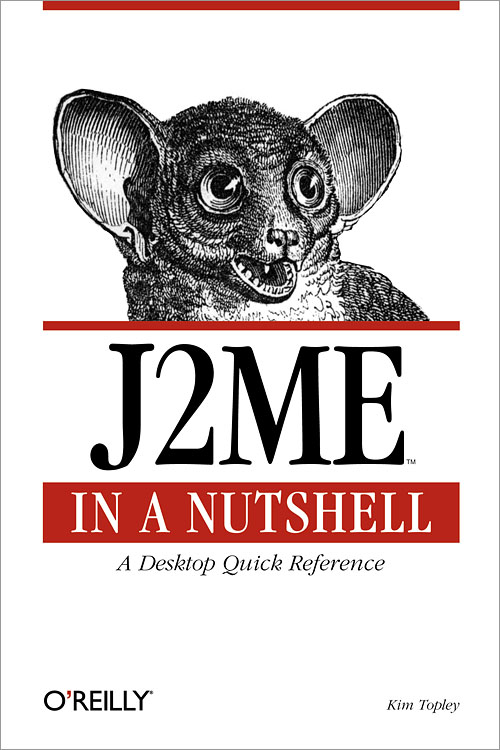
J2ME in a Nutshell


J2ME in a Nutshell
Kim Topley
Publisher: O'Reilly
Edition March 2002
ISBN: 0-596-00253-X, 478 pages
J2ME in a Nutshell provides a solid, no-nonsense reference to the 'alphabet soup' of micro
edition programming, covering the CLDC, CDC, KVM and MIDP APIs. The book also
includes tutorials for the CLDC, KVM, MIDP and MIDlets, MIDlet user interfaces,
networking and storage, and advice on programming small handhelds. Combined with
O'Reilly's classic quick reference to all the core micro-edition APIs, this is the one book that
will take you from curiosity to code with no frustrating frills in between.


Table of Contents
Preface .....................................................
Contents of This Book ..........................................
Related Books ................................................
J2ME Programming Resources Online ................................
Examples Online ..............................................
Conventions Used in This Book ....................................
Request for Comments ..........................................
Acknowledgments .............................................
11345566
I: Introduction to the Java 2 Micro Edition Platform API ..................
1. Introduction ................................................
1.1 What Is the J2ME Platform? ....................................
1.2 J2ME Specifications .........................................
1.3 J2ME and Other Java Platforms ..................................
2. The Connected Limited Device Configuration ........................
2.1 The CLDC Java Virtual Machine .................................
2.2 The CLDC Class Libraries .....................................
2.3 KVM Debugging ...........................................
2.4 Advanced KVM Topics .......................................
3. The Mobile Information Device Profile and MIDlets ....................
3.1 MIDP Overview ............................................
3.2 The MIDP Java Platform ......................................
3.3 MIDlets and MIDlet Suites .....................................
3.4 MIDlet Execution Environment and Lifecycle ........................
3.5 Developing MIDlets .........................................
3.6 Delivery and Installation of MIDlets ..............................
4. MIDlet User Interfaces ........................................
4.1 User Interface Overview ......................................
4.2 The High-Level User Interface API ...............................
5. The Low-Level MIDlet User Interface API ...........................
5.1 The Canvas Class ...........................................
5.2 Painting and the Graphics Class ..................................
5.3 Graphics Attributes ..........................................
5.4 Drawing Lines and Arcs .......................................
5.5 Translating the Graphics Origin ..................................
5.6 A Simple Animation MIDlet ....................................
5.7 The Graphics Clip ...........................................
5.8 Rendering Text ............................................
5.9 Images ..................................................
5.10 Event Handling ...........................................
5.11 Multithreading and the User Interface .............................
6. Wireless Java: Networking and Persistent Storage .....................
6.1 A Networking Architecture for Small Devices ........................
6.2 Sockets ..................................................
6.3 Datagrams ................................................
6.4 HTTP Connections ..........................................
6.5 Persistent Storage ...........................................
7. The Connected Device Configuration and Its Profiles ...................
7.1 The CDC ................................................
8. J2ME Command-Line Tools .....................................
8.1 cvm: The Connected Device Configuration Virtual Machine ...............
8.2 kdp: The KVM Debug Proxy ...................................
8.3 kvm: The Kilobyte Virtual Machine ...............................
8.4 midp: The MID Profile Execution Environment .......................
8.5 emulator: The J2ME Wireless Toolkit Emulator .......................
8.6 preverify: The KVM Class Preverifier .............................
8.7 MakeMIDPApp: JAD to PRC Conversion Tool .......................
8.8 chMEKeyTool: Public Key Certificate Management Tool ................
9. J2ME Programming Environments ................................
9.1 The J2ME Wireless Toolkit ....................................
9.2 MIDP for PalmOS ..........................................
9.3 J2ME and Forte For Java ......................................
9.4 Other Integrated Development Environments .........................
II: API Quick Reference .........................................
298
10. J2ME Packages and Classes ....................................
10.1 J2ME Packages ...........................................
10.2 J2SE Packages Not Present in J2ME ..............................
10.3 J2ME Package Contents ......................................
11. java.io ...................................................
Package java.io ...............................................
ByteArrayInputStream ..........................................
ByteArrayOutputStream .........................................
DataInput ...................................................
DataInputStream ..............................................
DataOutput ..................................................
DataOutputStream .............................................
EOFException ...............................................
InputStream .................................................
InputStreamReader ............................................
InterruptedIOException .........................................
IOException .................................................
OutputStream ................................................
OutputStreamWriter ............................................
PrintStream .................................................
Reader .....................................................
UnsupportedEncodingException ....................................
UTFDataFormatException .......................................
Writer .....................................................
12. java.lang ..................................................
Package java.lang .............................................
ArithmeticException ...........................................
ArrayIndexOutOfBoundsException ..................................
ArrayStoreException ...........................................
Boolean ....................................................
Byte ......................................................
Character ...................................................
Class ......................................................
ClassCastException ............................................
ClassNotFoundException ........................................
Exception ...................................................
IllegalAccessException ..........................................
IllegalArgumentException ........................................
IllegalMonitorStateException ......................................
IllegalStateException ...........................................
IllegalThreadStateException ......................................
IndexOutOfBoundsException .....................................
InstantiationException ..........................................
Integer .....................................................
InterruptedException ...........................................
Long ......................................................
Math ......................................................
NegativeArraySizeException ......................................
NullPointerException ...........................................
NumberFormatException ........................................
Object .....................................................
OutOfMemoryError ............................................
Runnable ...................................................
Runtime ....................................................
RuntimeException .............................................
SecurityException .............................................
Short ......................................................
String .....................................................
StringBuffer .................................................
StringIndexOutOfBoundsException .................................
System ....................................................
Thread .....................................................
Throwable ..................................................
VirtualMachineError ...........................................
13. java.util ..................................................
Package java.util ..............................................
Calendar ...................................................
Date ......................................................
EmptyStackException ..........................................
Enumeration .................................................
Hashtable ...................................................
NoSuchElementException ........................................
Random ....................................................
Stack ......................................................
Timer .....................................................
TimerTask ..................................................
TimeZone ..................................................
Vector .....................................................
14. javax.microedition.io .........................................
Package javax.microedition.io .....................................
Connection ..................................................
ConnectionNotFoundException ....................................
Connector ..................................................
ContentConnection ............................................
Datagram ...................................................
DatagramConnection ...........................................
HttpConnection ...............................................
InputConnection ..............................................
OutputConnection .............................................
StreamConnection ............................................
StreamConnectionNotifier ........................................
395
15. javax.microedition.lcdui .......................................
Package javax.microedition.lcdui ...................................
Alert ......................................................
AlertType ..................................................
Canvas ....................................................
Choice .....................................................
ChoiceGroup ................................................
Command ..................................................
CommandListener .............................................
DateField ...................................................
Display ....................................................
Displayable .................................................
Font ......................................................
Form ......................................................
Gauge .....................................................
Graphics ...................................................
Image .....................................................
ImageItem ..................................................
Item ......................................................
ItemStateListener .............................................
List .......................................................
Screen .....................................................
StringItem ..................................................
TextBox ....................................................
TextField ...................................................
Ticker .....................................................
16. javax.microedition.midlet ......................................
Package javax.microedition.midlet ..................................
MIDlet ....................................................
MIDletStateChangeException .....................................
17. javax.microedition.rms ........................................
Package javax.microedition.rms ....................................
InvalidRecordIDException .......................................
RecordComparator .............................................
RecordEnumeration ............................................
RecordFilter .................................................
RecordListener ...............................................
RecordStore .................................................
RecordStoreException ..........................................
RecordStoreFullException ........................................
RecordStoreNotFoundException ...................................
RecordStoreNotOpenException ....................................

Download this book click here
Another Mobile Programming books click here

Tuesday, April 20, 2010

Java 2 Micro Edition


contents
preface xv
acknowledgments xviii
about this book xx
about the cover illustration xxiii
Part 1 Developing with J2ME 1
1 Introduction 3
1.1 So what is J2ME anyway? 3
Where is J2ME being applied? 4
1.2 What is a small device? 5
The vast consumer space 5
Consumer electronic and embedded devices 6
1.3 J2ME’s role in wireless and mobile applications 7
Is J2ME mobile? 7 ✦ Is J2ME wireless? 8
Wireless vs. mobile 9
1.4 The Java 2 edition trilogy 9
J2SE 10 ✦ J2EE 10
J2ME 11 ✦ Why we need J2ME 11
1.5 The case for Java 12
Is Java right for small devices? 12 ✦ Java’s beneficial features 13
1.6 Origins of J2ME 15
Java’s origins 15 ✦ The return of Java in small devices 16
1.7 The J2ME community 16
J2ME’s guiding light, the Java Community Process 16
1.8 J2ME products and alternatives 17
1.9 Summary 18
2 J2ME architecture 19
2.1 Goals of the J2ME architecture 19
Support for multiple devices 20
Support for device-specific functionality 20
Maintaining a common architecture 21
2.2 Accommodating opposing needs 21
Configurations and profiles 22 ✦ A high-level view of J2ME 23
2.3 Configurations: a closer look 24
Connected Limited Device Configuration (CLDC) 25
The Kilobyte Virtual Machine (KVM) 27
Connected Device Configuration (CDC) 28
C-Virtual Machine (CVM) 29
2.4 Profiles: a closer look 29
Two types of profiles 30 ✦ Profiles are modular 30
J2ME profiles extend J2ME configurations 31
2.5 Choosing a J2ME profile 31
Mobile Information Device Profile (MIDP) 32
PDA Profile (PDAP) 32 ✦ Foundation Profile 32
Personal Profile 32 ✦ RMI Profile 33 ✦ Personal Basis Profile 33
Multimedia Profile 33 ✦ Gaming Profile 34
Wireless Telephony Communications API (WTCA) 34 ✦ KJava 34
2.6 Write once, run anywhere issues 35
Varied device needs 35 ✦ J2ME architecture increases WORA 36
2.7 Runtime environment 36
2.8 Designing J2ME applications 36
2.9 Summary 38
3 Developing a J2ME application 39
3.1 Investment quote application requirements 40
The investment quote application customer 40
Requirements analysis 41
3.2 Designing the investment quote application 42
Application control 42 ✦ User interface design 43
Persistent storage 45 ✦ Networking and input/output 46
3.3 Developing J2ME applications 48
Obtaining the development environment 48
Creating the applications 49 ✦ Runtime environment 49
3.4 Investment quote application tour guide 50
3.5 Summary 51
Part 2 Developing for cellular phones and pagers 53
4 A simple MIDP application 55
4.1 Questions about the MIDP development environment 56
Can I do this without an actual device? 56
What device do I start with? 56
Do I have to use the command line tools? 56
The example: what are we going to do? 56
4.2 Developing MIDP applications 56
Getting started 57 ✦ What is a MIDlet? 58
Compiling the application 60 ✦ Preverifying the application 61
Running the application 61 ✦ Troubleshooting 62
JARing MIDlets 63 ✦ Developing MIDlet suites 64
Running MIDlet suites from a web server 67
Installing MIDlet suites locally 67
4.3 Summary 68
5 MIDP user interface 69
5.1 MIDP application control 70
5.2 The investment quote application control in MIDP 71
5.3 Two types of MIDP user interface and event handling 75
High-level API 76 ✦ Low-level API 76
5.4 The MIDP user interface API 77
MIDP display control 77 ✦ MIDP high-level user interface API 78
MIDP low-level user interface API 87
The investment quote application’s user interface in MIDP 91
5.5 Handling user interactions in MIDP 105
High-level event handling 107 ✦ Low-level event handling 110
Handling the events of the Investment Quote Application 114
5.6 MIDlets on other devices 130
5.7 Summary 133
6 MIDP data storage 134
6.1 JDBC parallel 135
6.2 Storage structure 136
Record store 136 ✦ Records in the record store 137
6.3 RMS API 138
Record store construction and access 138 ✦ Record store exceptions 141
Record store listener 142 ✦ Comparing records 144
Filtering records 145 ✦ Enumerating through records 146
6.4 Persistent storage in the investment quote application 149
Defining the stock/mutual fund record 149
Storing quotes 150 ✦ Retrieving quotes 156
6.5 Summary 166
7 Connecting to the Internet 167
7.1 Micro edition package connectivity 168
Using the Connector class to open a channel 168
7.2 Similar but smaller I/O package 169
Streams 170 ✦ Readers/Writers 170
7.3 Implementing the Internet investment quote service 171
Getting a quote service connection 172
Extracting the price quote from the HTML 177
The MIDlet’s handling of quote data 180
7.4 Summary 186
Part 3 Developing for PDAs 187
8 J2ME on a PDA, a KJava introduction 189
8.1 PDA profile alternatives 190
Java PDA development environments 190
What is KJava? 191 ✦ What is MIDP for Palm OS? 192
8.2 HiSmallWorld in KJava 192
Getting Started 192 ✦ What is a Spotlet? 193
Compiling HiSmallWorld 194 ✦ Preverifying KJava applications 197
Creating the Palm OS application 198 ✦ Running the application 202
8.3 Deploying to the actual device 211
8.4 HiSmallWorld revisited using MIDP for Palm OS 213
MIDP application code 214 ✦ Converting the JAR file to PRC 215
Deploying the MIDP for Palm OS applications 216
8.5 Summary 217
9 KJava user interface 218
9.1 KJava application control 219
9.2 The investment quote application control in KJava 220
9.3 KJava user interface 225
Drawing to the display with the graphics object 225 ✦ Components 231
Custom components 239 ✦ KJava collection classes 239
9.4 The investment quote application’s user interface in KJava 240
Creating and displaying components 240 ✦ Drawing with graphics 244
9.5 Handling user interactions in KJava 248
Spotlet event-processing methods 248 ✦ Handling beaming events 250
9.6 Handling the events of the investment quote application in KJava 250
Handling key entry events 250 ✦ Handling pen taps 252
Handling pen movement 255
9.7 Summary 261
10 KJava data storage 262
10.1 Palm OS databases 263
Different types of Palm OS databases 263
Palm OS record database 263
10.2 KJava database API 265
Opening and creating databases 265 ✦ Accessing the database 267
10.3 Implementing the investment quote persistent storage in KJava 268
The stock/mutual fund record 268
Storing investment quotes 269 ✦ Retrieving records 273
10.4 Revisiting the connection to the Internet 275
10.5 Accessing Palm OS application databases 285
10.6 Summary 287
Part 4 Developing for the enterprise:
beyond the specifications 289
11 Real-world design 291
11.1 Dealing with stakeholders 292
Get them familiar with the devices early 292 ✦ Set expectations 293
Gathering requirements 293 ✦ State of the organization 293
11.2 A development scenario 294
Analysis 295 ✦ Options 296
11.3 Guidelines for building J2ME applications 298
The user interface 298 ✦ The network 304
Data exchange formats 306 ✦ Data synchronization 312
Data storage 317 ✦ Memory 319
Portability between profiles 320
Security 322 ✦ Internationalization 323
11.4 Architectural tools and techniques 325
Questionnaire: assessing if mobile and wireless is a good fit 325
Mobile application models 326 ✦ Architect’s checklist 329
11.5 Summary 331
12 Integrating the server 332
12.1 Examining server integration 333
Avoid monolithic applications 333
12.2 What technology to connect to? 334
12.3 Servlet example 334
12.4 XML 347
Using XML 348 ✦ Open standards of XML 350
Consequences of XML in J2ME 351 ✦ Small-footprint parsers 351
12.5 XML using JSPs example 353
How JavaServer Pages work 353 ✦ Creating the JSPHelper 355
Creating the JSP 357 ✦ Creating the J2ME Client 358
12.6 Summary 364
13 The network connection 365
13.1 About the Generic Connection Framework 366
Where the Generic Connection Framework lives 367
Working with the Connector class 368 ✦ The Connector is a factory 370
How the Connector finds the correct class 370
13.2 Using the Generic Connection Framework 372
13.3 HTTP-based connections 372
Establishing a connection 372 ✦ Using the connection 373
Compiling and running the application 376
13.4 Socket-based connections 377
Writing to sockets 378 ✦ Reading from sockets 380
When to use sockets 381 ✦ Client-server socket example 381
13.5 Datagram-based connections 394
Datagram example 397
13.6 Summary 406
14 J2ME runtime environment 407
14.1 The Java runtime environment 408
Lifecycle of the Java Virtual Machine 408
Java Virtual Machine responsibilities 411
14.2 The J2ME runtime environment 415
14.3 CLDC-compliant virtual machines (the KVM) 415
KVM lifecycle 416 ✦ Preverification 416
In-device verification 417 ✦ Security 417
Unsupported Java features 419 ✦ Multithreading 421
Garbage collection 421 ✦ Internationalization 422
Application management (JAM) 422 ✦ Java Code Compact (JCC) 423
Deployed classes 424 ✦ Debug support 424
14.4 CDC-compliant virtual machines (the CVM) 425
Garbage collection and the CVM 426
Memory references in the CVM 426
14.5 Summary 427
15 Related technologies 428
15.1 J2ME implementations 429
esmertec’s Jbed 429
Motorola’s Embedded Reference Implementation (MERI) 430
15.2 The other Sun specifications 430
PersonalJava 430 ✦ EmbeddedJava 434
15.3 Non-J2ME alternatives 435
ChaiVM by Hewlett-Packard 435 ✦ IBM’s VisualAge Micro Edition 435
Waba by Wabasoft 438
15.4 Related Java technologies 438
Java Card 438 ✦ Java Native Interface 439
Jini 441 ✦ JavaPhone and Java TV APIs 442
15.5 Non-Java alternatives 442
WAP/WML 443 ✦ Other languages 443
15.6 Data storage and synchronization 444
Data storage 444 ✦ A data synchronization standard, SyncML 445
XML 446
15.7 J2ME supplementary technology 448
GUI, kAWT 448 ✦ Web browsing, Kbrowser 449
Encryption, Bouncy Castle 449
15.8 Summary 449
A J2ME development tools 451
B J2ME resources 453
C Java and J2ME history 456
C.1 Oak and the Green Project 456
C.2 Java and the Internet 457
C.3 Evolution of Java 458
Java 1.02 459 ✦ Java 1.1 459
Java 2 459 ✦ SDK 1.3 460
Java 3 coming soon? 460 ✦ Java today 460
C.4 Origins of J2ME 460
Micro-Java rebirth 461 ✦ Early access versions of J2ME 461
J2ME’s continuing evolution 462 ✦ J2ME today 463
D J2ME Wireless Toolkit 464
D.1 Downloading the Wireless Toolkit 464
D.2 Installing the J2ME Wireless Toolkit 465
D.3 Hello World project revisited 466
Starting the toolkit 466 ✦ Creating a project 467
Editing the project settings 469 ✦ Entering the Java code 470
Building a project 470 ✦ Running a project 470
Palm OS Emulator 471 ✦ Operating from the command line 472
D.4 Summary 472
index 473


Download this book click here

Another J2ME Books
Another Smart Phone Books
Another Mobile Programming Books

Saturday, April 10, 2010

Programming Java 2 Micro Edition on Symbian OS


Contents
About This Book ix
Author Biographies xiii
Author’s Acknowledgements xvii
Symbian Press Acknowledgements xix
Foreword xxi
Innovation Through Openness xxiii
Section 1: J2ME and MIDP 1
1 Introduction to J2ME 3
1.1 Configurations and Profiles 3
1.2 CLDC and MIDP 7
1.3 CDC and Personal Profile 16
1.4 J2ME on Symbian OS 21
1.5 Summary 22
2 Getting Started 23
2.1 Introduction to MIDP 23
2.2 Helloworld, Turbo Edition 46
2.3 Introduction to Tools for MIDP 54
2.4 Installing and Running a MIDlet 82
2.5 MIDP on Symbian OS Phones 89
2.6 Summary 89
3 MIDP 2.0 and the JTWI 91
3.1 Introduction to the JTWI 91
3.2 The CLDC on Symbian OS 94
3.3 MIDP 2.0 95
3.4 Optional J2ME APIs in the JTWI 155
3.5 MIDP 2.0 and Symbian OS Phones 201
3.6 Summary 202
4 Java APIs for Bluetooth Wireless Technology 205
4.1 Introduction to Bluetooth 205
4.2 Introduction to the Bluetooth APIs 206
4.3 Programming the Bluetooth APIs 208
4.4 L2CAP Protocol 224
4.5 Security 227
4.6 Java Bluetooth API and the MIDP 2.0 Security Model 229
4.7 Sample Code 230
4.8 Development Tools 241
4.9 Java Bluetooth APIs and Symbian OS 244
4.10 Summary 244
5 MIDP 2.0 Case Studies 247
5.1 Introduction 247
5.2 The Expense Application 248
5.3 The Demo Racer Game 282
5.4 The Picture Puzzle 294
Section 2: Writing Quality Code
for Smartphones 317
6 Making Java Code Portable 319
6.1 Introduction 319
6.2 Design Patterns 320
6.3 Portability Issues 326
6.4 Summary 333
7 Writing Optimized Code 335
7.1 Introduction 335
7.2 What Are We Starting With? 336
7.3 Benchmarking 336
7.4 General Guidelines for Optimization 337
7.5 Feedback and Responsiveness 338
7.6 Object Creation 338
7.7 Method Modifiers and Inlining 340
7.8 Strings 343
7.9 Using Containers 348
7.10 How Not To Do It 349
7.11 Copying an Array 351
7.12 Thoughts on Looping 352
7.13 Graphics 358
7.14 LifeTime Case Study 366
7.15 Arithmetic Operations 385
7.16 Design Patterns 386
7.17 Memory Management 388
7.18 JIT and DAC Compilers 390
7.19 Obfuscators 391
7.20 Summary 392
Section 3: The Evolution of the Wireless
Java Market 393
8 The Market, the Opportunities
and Symbian’s Plans 395
8.1 Introduction 395
8.2 The Wireless Java Market 395
8.3 Meeting Market Needs 400
8.4 Providing Advanced Services 402
8.5 Why Java? 406
8.6 Symbian and Java 409
8.7 Java and Digital Rights Management 418
8.8 The Java Verified Program 420
8.9 Beyond Advanced Consumer Services 421
8.10 Trends in Technology 421
Appendix 1: CLDC Core Libraries 423
Appendix 2: MIDP Libraries 429
Appendix 3: Using the Wireless Toolkit Tools
at the Command Line 437
Appendix 4: Developer Resources and Bibliography 439
Appendix 5: Specifications of Symbian OS Phones 445
Index 461

Download this book click here

Wednesday, January 27, 2010

Symbian OS Explained Effective C++Programming for Smartphones


Table OF Content

Foreword xi
About This Book xiii
Who Is It For? xiv
How to Use This Book xiv
Notation and Code Conventions Used in This Book xv
Introduction to Symbian OS xvii
Author Biography xxi
Author’s Acknowledgments xxiii
Symbian Press Acknowledgments xxv
1 Class Name Conventions on Symbian OS 1
1.1 Fundamental Types 1
1.2 T Classes 3
1.3 C Classes 4
1.4 R Classes 6
1.5 M Classes 7
1.6 Static Classes 11
1.7 Buyer Beware 11
1.8 Summary 12
2 Leaves: Symbian OS Exceptions 13
2.1 Leaving Functions 13
2.2 Heap Allocation Using new (ELeave) 16
2.3 Constructors and Destructors 17
2.4 Working with Leaving Functions 18
2.5 Trapping a Leave Using TRAP and TRAPD 20
2.6 LeaveScan 26
2.7 Summary 27
3 The Cleanup Stack 29
3.1 Using the Cleanup Stack 31
3.2 How Does the Cleanup Stack Work? 35
3.3 Using the Cleanup Stack with Non-CBase Classes 38
3.4 Using TCleanupItem for Customized Cleanup 44
3.5 Portability 46
3.6 An Incidental Note on the Use of Casts 46
3.7 Summary 47
4 Two-Phase Construction 49
5 Descriptors: Symbian OS Strings 55
5.1 Non-Modifiable Descriptors 56
5.2 Modifiable Descriptors 58
5.3 Pointer Descriptors 60
5.4 Stack-Based Buffer Descriptors 63
5.5 Heap-Based Buffer Descriptors 65
5.6 Literal Descriptors 69
5.7 Summary 72
6 Good Descriptor Style 75
6.1 Descriptors as Parameters and Return Types 75
6.2 Common Descriptor Methods 78
6.3 The Use of HBufC Heap Descriptors 82
6.4 Externalizing and Internalizing Descriptors 84
6.5 The Overuse of TFileName 86
6.6 Useful Classes for Descriptor Manipulation 87
6.7 Summary 88
7 Dynamic Arrays and Buffers 91
7.1 CArrayX Classes 92
7.2 RArray and RPointerArray 97
7.3 Why Use RArray Instead of CArrayX? 102
7.4 Dynamic Descriptor Arrays 103
7.5 Fixed-Length Arrays 104
7.6 Dynamic Buffers 106
7.7 Summary 109
8 Event-Driven Multitasking Using Active Objects 111
8.1 Multitasking Basics 111
8.2 Event-Driven Multitasking 112
8.3 Working with Active Objects 115
8.4 Example Code 120
8.5 Threads Without an Active Scheduler 123
8.6 Application Code and Active Objects 123
8.7 Summary 124
9 Active Objects under the Hood 127
9.1 Active Object Basics 128
9.2 Responsibilities of an Active Object 131
9.3 Responsibilities of an Asynchronous Service Provider 133
9.4 Responsibilities of the Active Scheduler 134
9.5 Starting the Active Scheduler 135
9.6 Nesting the Active Scheduler 135
9.7 Extending the Active Scheduler 136
9.8 Cancellation 137
9.9 Request Completion 138
9.10 State Machines 138
9.11 Long-Running Tasks 143
9.12 Class CIdle 146
9.13 Class CPeriodic 148
9.14 Common Mistakes 149
9.15 Summary 150
10 Symbian OS Threads and Processes 151
10.1 Class RThread 152
10.2 Thread Priorities 155
10.3 Stopping a Running Thread 157
10.4 Inter-Thread Data Transfer 162
10.5 Exception Handling 163
10.6 Processes 164
10.7 Summary 166
11 The Client–Server Framework in Theory 167
11.1 Why Have a Client–Server Framework? 168
11.2 How Do the Client and Server Fit Together? 168
11.3 How Do the Client and Server Communicate? 170
11.4 What Classes Does the Client–Server Framework Use? 170
11.5 How Do Synchronous and Asynchronous Requests Differ? 179
11.6 How Is a Server Started? 179
11.7 How Many Connections Can a Client Have? 180
11.8 What Happens When a Client Disconnects? 180
11.9 What Happens If a Client Dies? 181
11.10 What Happens If a Server Dies? 181
11.11 How Does Client–Server Communication Use Threads? 181
11.12 What Are the Implications of Server-Side Active Objects? 182
11.13 What Are the Advantages of a Local (Same-Process) Server? 182
11.14 What Are the Overheads of Client–Server Communication? 183
11.15 How Many Outstanding Requests Can a Client Make to a Server? 186
11.16 Can Server Functionality Be Extended? 186
11.17 Example Code 186
11.18 Summary 187
12 The Client–Server Framework in Practice 189
12.1 Client–Server Request Codes 190
12.2 Client Boilerplate Code 191
12.3 Starting the Server and Connecting to It from the Client 198
12.4 Server Startup Code 203
12.5 Server Classes 205
12.6 Server Shutdown 213
12.7 Accessing the Server 214
12.8 Summary 214
13 Binary Types 217
13.1 Symbian OS EXEs 217
13.2 Symbian OS DLLs 218
13.3 Writable Static Data 220
13.4 Thread-Local Storage 223
13.5 The DLL Loader 226
13.6 UIDs 226
13.7 The targettype Specifier 228
13.8 Summary 230
14 ECOM 233
14.1 ECOM Architecture 233
14.2 Features of an ECOM Interface 236
14.3 Factory Methods 237
14.4 Implementing an ECOM Interface 240
14.5 Resource Files 242
14.6 Example Client Code 245
14.7 Summary 246
15 Panics 247
15.1 Just-In-Time Debugging 248
15.2 Good Panic Style 249
15.3 Symbian OS Panic Categories 250
15.4 Panicking Another Thread 251
15.5 Faults, Leaves and Panics 253
15.6 Summary 253
16 Bug Detection Using Assertions 255
16.1 __ASSERT_DEBUG 256
16.2 __ASSERT_ALWAYS 261
16.3 Summary 263
17 Debug Macros and Test Classes 265
17.1 Heap-Checking Macros 265
17.2 Object Invariance Macros 270
17.3 Console Tests Using RTest 273
17.4 Summary 276
18 Compatibility 277
18.1 Forward and Backward Compatibility 278
18.2 Source Compatibility 279
18.3 Binary Compatibility 280
18.4 Preventing Compatibility Breaks 281
18.5 What Can I Change Without Breaking Binary Compatibility? 287
18.6 Best Practice: Planning for Future Changes 289
18.7 Compatibility and the Symbian OS Class Types 291
18.8 Summary 292
19 Thin Templates 293
20 Expose a Comprehensive and Comprehensible API 299
20.1 Class Layout 300
20.2 IMPORT_C and EXPORT_C 301
20.3 Parameters and Return Values 303
20.4 Member Data and Functional Abstraction 309
20.5 Choosing Class, Method and Parameter Names 312
20.6 Compiler-Generated Functions 314
20.7 Summary 315
21 Good Code Style 317
21.1 Reduce the Size of Program Code 317
21.2 Use Heap Memory Carefully 320
21.3 Use Stack Memory Carefully 325
21.4 Eliminate Sub-Expressions to Maximize Code Efficiency 328
21.5 Optimize Late 330
21.6 Summary 331
Appendix Code Checklist 333
Glossary 339
Bibliography and Online Resources 347
Index 351

Download
Another Programming Language books
Another Smart Phone books
Another Symbian books
Another C++ books
Related Posts with Thumbnails

Put Your Ads Here!