Showing posts with label SAP. Show all posts

Wednesday, February 16, 2011

201 Interview Questions- SAP Business Warehouse Information


Finding SAP talent has become more difficult and time consuming than ever before. Buzz words are everywhere, but don't be fooled, a persons true understanding of the subject can be unlocked by using this guide. The book contains a wide variety of carefully worded questions that are designed to help you determine the best qualified candidates available today. The questions are concise and to the point, so are the answers; this allows the candidate to answer and provide the employer an in-depth understanding of whether the candidate can cut through the "fluff" and get the job done. This is not only for employers. This will allow consultants or analysts to better prepare for the dream job and set them apart from the crowd. Self confidence and knowledge are the two most common traits employers seek in potential candidates. This book allows you to refine both. Whether you are an analyst seeking a permanent position or a consultant looking for your next project, this book allows you to impress the future employer with a clear understanding and self confidence expected from a subject matter expert.

About the Author
Raj Mani Thiyagarajan has spent many years consulting in SAP BW for fortune 500 companies. He has taught numerous BW students from around the world, many of whom are now working as SAP BW Consultants. During his career, he has interviewed many candidates for consulting and permanent positions and is thus more than qualified to write on this subject.

Raj has a BSc in Electrical Engineering from the Indian Institute of Science. He is a SAP Certified BW consultant with over 7 years in SAP and BW and 10 years in general IT Consulting.


Another SAP Books
Download

Monday, January 31, 2011

SAP BEx Simplified Business Explorer for End-Users


CONTENTS
Introduction ................................................................................................xv
Exercise Scenarios ......................................................................................xvii
Chapter 1: Overview of Data Warehousing and BW ....................................1
Data warehousing ............................................................................................1
Background and overview ..........................................................................1
Fundamental concepts ..............................................................................1
Benefits ......................................................................................................2
Business Warehouse (BW) ..................................................................................3
What is the Business Warehouse ................................................................3
BW and SAP R/3 relationship ....................................................................4
BW data characteristics ..............................................................................4
BW queries ................................................................................................5
BW architecture and components ......................................................................6
Business Explorer ......................................................................................6
Business Warehouse Server ........................................................................7
Source Systems ..........................................................................................7
BEx architecture and components ......................................................................7
Business Explorer Browser (BEx Browser) ..................................................8
Business Explorer Analyzer (BEx Analyzer) ................................................8
Chapter 2: Impact of BW implementations ................................................10
New reporting and analysis paradigm ..............................................................10
BW access methods and process ........................................................................11
Access methods ........................................................................................11
Who can access BW reports ....................................................................12
Roles and authorizations ..........................................................................12
IDs and passwords ..................................................................................12
Which BW system to use ........................................................................13
Functional areas covered by the BW system ......................................................13
Report Tree ..............................................................................................13
How to view the InfoProviders ................................................................15
Miscellaneous ................................................................................................17
Knowing the limitations ..........................................................................17
Role of the legacy reporting tools ............................................................18
Getting help ..................................................................................................18
Online help ..............................................................................................18
Company support/Help Desk ..................................................................18
Chapter 3: Launching a BW report via the Analyzer ..................................19
How to launch the Analyzer ............................................................................19
Displaying the available reports ......................................................................21
How to select a report for execution ..................................................................27
How to find a report ......................................................................................27
How to launch a selected report ........................................................................31
How to enter values in the Query Selection window ..........................................32
How to execute the report ................................................................................33
How to refresh a report ....................................................................................33
Chapter 4: Specifying selection criteria for reports ......................................36
Query Selection window components ................................................................36
Minimum input requirements ........................................................................37
Entering values in the Query Selection window ................................................37
Using drop-down menus ..................................................................................38
Filters ............................................................................................................40
How to specify include filters ............................................................................40
How to specify exclude filters ............................................................................42
Using operators on the web ..............................................................................44
Using include/exclude filters on the web ............................................................45
Adding values and ranges on the web ..............................................................46
Chapter 5: Launching a BW report via the Browser/Portal ........................48
How to launch the Browser ..............................................................................48
Browser windows ............................................................................................49
Browser Toolbar ..............................................................................................50
How to navigate to a specific report ..................................................................51
How to find a report ......................................................................................51
How to select a report for execution ..................................................................53
How to launch a selected report ........................................................................54
How to specify the selection criteria for a report ................................................55
How to execute a report ..................................................................................55
Working with Browser windows and folders ......................................................56
Moving and organizing reports ................................................................57
Enhancing displays ..................................................................................58
Adding an Internet address ......................................................................61
Creating a new folder ..............................................................................64
Deleting a folder ......................................................................................65
Rearranging groups ..................................................................................66
How to access BW reports via the Portal ..........................................................68
Chapter 6: Anatomy of Excel and Web reports ............................................69
Excel report anatomy ......................................................................................69
Web report anatomy ........................................................................................70
How to analyze BW (Excel and Web) reports ....................................................72
Chapter 7: Analyzer tools and techniques ..................................................73
BEx Toolbar ..................................................................................................73
Context Menu ................................................................................................73
Chapter 8: Web reporting tools and techniques ..........................................77
Web Toolbar ..................................................................................................77
Generic Navigation Block ................................................................................77
Drill-down characteristics ................................................................................78
Context Menu ................................................................................................78
Chapter 9: Basic navigation and analysis functions ....................................80
Most commonly used functions ........................................................................80
Back ........................................................................................................80
Back to Start ............................................................................................80
Keep Filter Value ......................................................................................81
Select Filter Value ....................................................................................81
Other functions ......................................................................................81
Using common functions in Excel ....................................................................81
Back ........................................................................................................83
Back to Start ............................................................................................84
Keep filter value ......................................................................................85
Select filter value ......................................................................................88
Remove filter value ..................................................................................93
Using common functions on the web ................................................................95
Back ........................................................................................................96
Back to Start ............................................................................................97
Keep filter value ......................................................................................98
Select filter value ......................................................................................99
Remove filter value ................................................................................103
Chapter 10: Slicing, dicing, and drilling ..................................................104
What is slicing and dicing ............................................................................104
What is drill-down ......................................................................................105
Example of drill-down ..................................................................................105
What is drill-across ......................................................................................107
Example of drill-across ..................................................................................107
Chapter 11: Analysis using the Analyzer ..................................................109
Drill-down and drill-across ..........................................................................109
How to drill-down using the Context Menu ..........................................109
How to drill-across using the Context Menu ..........................................111
How to remove drill-down ....................................................................113
Drill-down by double-clicking ..............................................................115
Reversing a drill-down by double-clicking ..............................................117
Filter and drilldown according to ..................................................................118
How to swap axes ..........................................................................................121
What is swapping ..................................................................................121
How to swap ..........................................................................................121
How to sort ..................................................................................................124
Working with hierarchies ..............................................................................126
What is a hierarchy ................................................................................126
Expanding a hierarchy ............................................................................127
Collapsing a hierarchy node ..................................................................129
Deactivating a hierarchy ........................................................................131
How to jump ................................................................................................131
Chapter 12: Miscellaneous functions using the Analyzer ..........................133
How to export report results to Excel ..............................................................133
How to add a report to the favorites ..............................................................134
How to delete a report from the favorites folder ..............................................137
How to print a report ....................................................................................139
How to e-mail a report ..................................................................................141
How to receive a report via e-mail ..................................................................141
How to logoff ................................................................................................142
How to create a variant ................................................................................144
What is a variant ....................................................................................144
Creating a variant ..................................................................................144
How to retrieve a variant ..............................................................................147
How to delete a variant ................................................................................148
Chapter 13: Analysis on the web ..............................................................151
Drill-down and drill-across ..........................................................................151
How to drill-down from the Navigation Area ........................................152
How to drill-down from the Results Area ..............................................153
How to drill-across ................................................................................154
How to remove drill-down or drill-across ..............................................155
How to filter by a characteristic ....................................................................157
Using the Context Menu to filter ..........................................................157
Using the Navigation Block to filter ......................................................159
How to filter and drilldown according to ........................................................162
How to swap axes ..........................................................................................163
What is swapping ..................................................................................163
How to swap ..........................................................................................164
How to sort ..................................................................................................165
Working with hierarchies ..............................................................................167
What is a hierarchy ................................................................................167
Expanding a hierarchy ............................................................................167
Expanding a hierarchy node ..................................................................168
Collapsing a hierarchy node ..................................................................169
Deactivating a hierarchy ........................................................................170
How to use the jump function ........................................................................171
Chapter 14: Miscellaneous functions on the web ......................................172
How to export report results to Excel ..............................................................172
How to add a report to the favorites (Bookmark) ............................................174
How to delete a report from the favorites folder ..............................................175
How to print a report ....................................................................................176
How to e-mail a report ..................................................................................178
How to logoff ................................................................................................182
How to create, retrieve, and delete a variant ..................................................182
Chapter 15: Changing properties (Excel) ..................................................183
Query Designer ............................................................................................183
Launching the Query Designer ..............................................................183
Query Designer windows ......................................................................184
How to change properties ..............................................................................185
How to change the properties of characteristics ......................................185
How to change the properties of key figures ..........................................190
How to change the row display order ....................................................195
How to add an attribute ........................................................................197
Currency translation ..............................................................................200
Chapter 16: Changing properties (Web) ..................................................201
How to change properties ..............................................................................201
How to change the properties of characteristics ......................................201
How to change the properties of key figures ..........................................205
Currency translation ..............................................................................212

Another SAP Books
Download

Saturday, January 29, 2011

SAP BEx Simplified Business Explorer for End-Users


CONTENTS
Introduction ................................................................................................xv
Exercise Scenarios ......................................................................................xvii
Chapter 1: Overview of Data Warehousing and BW ....................................1
Data warehousing ............................................................................................1
Background and overview ..........................................................................1
Fundamental concepts ..............................................................................1
Benefits ......................................................................................................2
Business Warehouse (BW) ..................................................................................3
What is the Business Warehouse ................................................................3
BW and SAP R/3 relationship ....................................................................4
BW data characteristics ..............................................................................4
BW queries ................................................................................................5
BW architecture and components ......................................................................6
Business Explorer ......................................................................................6
Business Warehouse Server ........................................................................7
Source Systems ..........................................................................................7
BEx architecture and components ......................................................................7
Business Explorer Browser (BEx Browser) ..................................................8
Business Explorer Analyzer (BEx Analyzer) ................................................8
Chapter 2: Impact of BW implementations ................................................10
New reporting and analysis paradigm ..............................................................10
BW access methods and process ........................................................................11
Access methods ........................................................................................11
Who can access BW reports ....................................................................12
Roles and authorizations ..........................................................................12
IDs and passwords ..................................................................................12
Which BW system to use ........................................................................13
Functional areas covered by the BW system ......................................................13
Report Tree ..............................................................................................13
How to view the InfoProviders ................................................................15
Miscellaneous ................................................................................................17
Knowing the limitations ..........................................................................17
Role of the legacy reporting tools ............................................................18
Getting help ..................................................................................................18
Online help ..............................................................................................18
Company support/Help Desk ..................................................................18
Chapter 3: Launching a BW report via the Analyzer ..................................19
How to launch the Analyzer ............................................................................19
Displaying the available reports ......................................................................21
How to select a report for execution ..................................................................27
How to find a report ......................................................................................27
How to launch a selected report ........................................................................31
How to enter values in the Query Selection window ..........................................32
How to execute the report ................................................................................33
How to refresh a report ....................................................................................33
Chapter 4: Specifying selection criteria for reports ......................................36
Query Selection window components ................................................................36
Minimum input requirements ........................................................................37
Entering values in the Query Selection window ................................................37
Using drop-down menus ..................................................................................38
Filters ............................................................................................................40
How to specify include filters ............................................................................40
How to specify exclude filters ............................................................................42
Using operators on the web ..............................................................................44
Using include/exclude filters on the web ............................................................45
Adding values and ranges on the web ..............................................................46
Chapter 5: Launching a BW report via the Browser/Portal ........................48
How to launch the Browser ..............................................................................48
Browser windows ............................................................................................49
Browser Toolbar ..............................................................................................50
How to navigate to a specific report ..................................................................51
How to find a report ......................................................................................51
How to select a report for execution ..................................................................53
How to launch a selected report ........................................................................54
How to specify the selection criteria for a report ................................................55
How to execute a report ..................................................................................55
Working with Browser windows and folders ......................................................56
Moving and organizing reports ................................................................57
Enhancing displays ..................................................................................58
Adding an Internet address ......................................................................61
Creating a new folder ..............................................................................64
Deleting a folder ......................................................................................65
Rearranging groups ..................................................................................66
How to access BW reports via the Portal ..........................................................68
Chapter 6: Anatomy of Excel and Web reports ............................................69
Excel report anatomy ......................................................................................69
Web report anatomy ........................................................................................70
How to analyze BW (Excel and Web) reports ....................................................72
Chapter 7: Analyzer tools and techniques ..................................................73
BEx Toolbar ..................................................................................................73
Context Menu ................................................................................................73
Chapter 8: Web reporting tools and techniques ..........................................77
Web Toolbar ..................................................................................................77
Generic Navigation Block ................................................................................77
Drill-down characteristics ................................................................................78
Context Menu ................................................................................................78
Chapter 9: Basic navigation and analysis functions ....................................80
Most commonly used functions ........................................................................80
Back ........................................................................................................80
Back to Start ............................................................................................80
Keep Filter Value ......................................................................................81
Select Filter Value ....................................................................................81
Other functions ......................................................................................81
Using common functions in Excel ....................................................................81
Back ........................................................................................................83
Back to Start ............................................................................................84
Keep filter value ......................................................................................85
Select filter value ......................................................................................88
Remove filter value ..................................................................................93
Using common functions on the web ................................................................95
Back ........................................................................................................96
Back to Start ............................................................................................97
Keep filter value ......................................................................................98
Select filter value ......................................................................................99
Remove filter value ................................................................................103
Chapter 10: Slicing, dicing, and drilling ..................................................104
What is slicing and dicing ............................................................................104
What is drill-down ......................................................................................105
Example of drill-down ..................................................................................105
What is drill-across ......................................................................................107
Example of drill-across ..................................................................................107
Chapter 11: Analysis using the Analyzer ..................................................109
Drill-down and drill-across ..........................................................................109
How to drill-down using the Context Menu ..........................................109
How to drill-across using the Context Menu ..........................................111
How to remove drill-down ....................................................................113
Drill-down by double-clicking ..............................................................115
Reversing a drill-down by double-clicking ..............................................117
Filter and drilldown according to ..................................................................118
How to swap axes ..........................................................................................121
What is swapping ..................................................................................121
How to swap ..........................................................................................121
How to sort ..................................................................................................124
Working with hierarchies ..............................................................................126
What is a hierarchy ................................................................................126
Expanding a hierarchy ............................................................................127
Collapsing a hierarchy node ..................................................................129
Deactivating a hierarchy ........................................................................131
How to jump ................................................................................................131
Chapter 12: Miscellaneous functions using the Analyzer ..........................133
How to export report results to Excel ..............................................................133
How to add a report to the favorites ..............................................................134
How to delete a report from the favorites folder ..............................................137
How to print a report ....................................................................................139
How to e-mail a report ..................................................................................141
How to receive a report via e-mail ..................................................................141
How to logoff ................................................................................................142
How to create a variant ................................................................................144
What is a variant ....................................................................................144
Creating a variant ..................................................................................144
How to retrieve a variant ..............................................................................147
How to delete a variant ................................................................................148
Chapter 13: Analysis on the web ..............................................................151
Drill-down and drill-across ..........................................................................151
How to drill-down from the Navigation Area ........................................152
How to drill-down from the Results Area ..............................................153
How to drill-across ................................................................................154
How to remove drill-down or drill-across ..............................................155
How to filter by a characteristic ....................................................................157
Using the Context Menu to filter ..........................................................157
Using the Navigation Block to filter ......................................................159
How to filter and drilldown according to ........................................................162
How to swap axes ..........................................................................................163
What is swapping ..................................................................................163
How to swap ..........................................................................................164
How to sort ..................................................................................................165
Working with hierarchies ..............................................................................167
What is a hierarchy ................................................................................167
Expanding a hierarchy ............................................................................167
Expanding a hierarchy node ..................................................................168
Collapsing a hierarchy node ..................................................................169
Deactivating a hierarchy ........................................................................170
How to use the jump function ........................................................................171
Chapter 14: Miscellaneous functions on the web ......................................172
How to export report results to Excel ..............................................................172
How to add a report to the favorites (Bookmark) ............................................174
How to delete a report from the favorites folder ..............................................175
How to print a report ....................................................................................176
How to e-mail a report ..................................................................................178
How to logoff ................................................................................................182
How to create, retrieve, and delete a variant ..................................................182
Chapter 15: Changing properties (Excel) ..................................................183
Query Designer ............................................................................................183
Launching the Query Designer ..............................................................183
Query Designer windows ......................................................................184
How to change properties ..............................................................................185
How to change the properties of characteristics ......................................185
How to change the properties of key figures ..........................................190
How to change the row display order ....................................................195
How to add an attribute ........................................................................197
Currency translation ..............................................................................200
Chapter 16: Changing properties (Web) ..................................................201
How to change properties ..............................................................................201
How to change the properties of characteristics ......................................201
How to change the properties of key figures ..........................................205
Currency translation ..............................................................................212

Another SAP Books
Download

Sunday, January 9, 2011

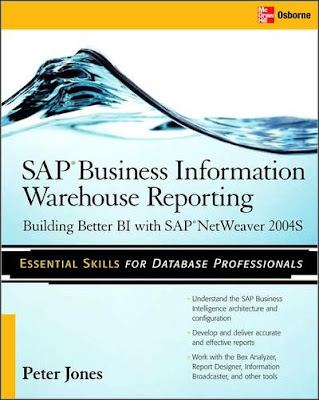
SAP Business Information Warehouse Reporting


Peter Jones

Contents
Acknowledgments . . . . . . . . . . . . . . . . . . . . . . . . . . . . . . . . . . . . . . . . . . . . . . . xi
Introduction . . . . . . . . . . . . . . . . . . . . . . . . . . . . . . . . . . . . . . . . . . . . . . . . . . . . . xiii
1 SAP Business Intelligence Overview . . . . . . . . . . . . . . . . . . . . . . . . . . . . . . . 1
Challenges of the Current IT Landscapes . . . . . . . . . . . . . . . . . . . . . . . . . . . . . 2
SAP NetWeaver: Overview of Components . . . . . . . . . . . . . . . . . . . . . . . . . . . 3
People Integration: The Use of an Enterprise Portal . . . . . . . . . . . . . . 4
Information Integration . . . . . . . . . . . . . . . . . . . . . . . . . . . . . . . . . . . . . . 9
Process Integration . . . . . . . . . . . . . . . . . . . . . . . . . . . . . . . . . . . . . . . . . . 12
Application Platform . . . . . . . . . . . . . . . . . . . . . . . . . . . . . . . . . . . . . . . . 14
SAP Business Warehouse Administration . . . . . . . . . . . . . . . . . . . . . . 14
Summary . . . . . . . . . . . . . . . . . . . . . . . . . . . . . . . . . . . . . . . . . . . . . . . . . . . . . . . . 22
2 Storing the Data—SAP/Business Warehouse InfoProviders . . . . . . . . . . . 23
Introduction to SAP BI InfoProviders . . . . . . . . . . . . . . . . . . . . . . . . . . . . . . . . 23
Data Targets . . . . . . . . . . . . . . . . . . . . . . . . . . . . . . . . . . . . . . . . . . . . . . . . 29
Non–Data Targets . . . . . . . . . . . . . . . . . . . . . . . . . . . . . . . . . . . . . . . . . . . 42
3 Navigating Through the BEx Analyzer . . . . . . . . . . . . . . . . . . . . . . . . . . . . . . 61
Introduction to the BEx Analyzer . . . . . . . . . . . . . . . . . . . . . . . . . . . . . . . . . . . 62
Access to the BEx Analyzer . . . . . . . . . . . . . . . . . . . . . . . . . . . . . . . . . . . 64
Navigation Options . . . . . . . . . . . . . . . . . . . . . . . . . . . . . . . . . . . . . . . . . 74
Summary . . . . . . . . . . . . . . . . . . . . . . . . . . . . . . . . . . . . . . . . . . . . . . . . . . . . . . . . 93
4 Where It All Starts—The Query Designer . . . . . . . . . . . . . . . . . . . . . . . . . . . 95
Access the Query Designer . . . . . . . . . . . . . . . . . . . . . . . . . . . . . . . . . . . . . . . . . 95
Format of the Query Designer Screen . . . . . . . . . . . . . . . . . . . . . . . . . . 97
Toolbars of the Query Designer . . . . . . . . . . . . . . . . . . . . . . . . . . . . . . . 98
Basic Navigation in the BEx Query Designer . . . . . . . . . . . . . . . . . . . . 101
Query Properties for the Query Designer . . . . . . . . . . . . . . . . . . . . . . . 113
Summary . . . . . . . . . . . . . . . . . . . . . . . . . . . . . . . . . . . . . . . . . . . . . . . . . . . . . . . . 120
5 Confi guration in the BEx Query Designer—Working with
the Numbers . . . . . . . . . . . . . . . . . . . . . . . . . . . . . . . . . . . . . . . . . . . . . . . . . . . 121
Introduction to the Key Figures . . . . . . . . . . . . . . . . . . . . . . . . . . . . . . . . . . . . . 121
Restricted Key Figures . . . . . . . . . . . . . . . . . . . . . . . . . . . . . . . . . . . . . . . 122
Calculated Key Figures . . . . . . . . . . . . . . . . . . . . . . . . . . . . . . . . . . . . . . 136
Properties of Key Figures . . . . . . . . . . . . . . . . . . . . . . . . . . . . . . . . . . . . 153
Structures . . . . . . . . . . . . . . . . . . . . . . . . . . . . . . . . . . . . . . . . . . . . . . . . . . 177
Cell Editor . . . . . . . . . . . . . . . . . . . . . . . . . . . . . . . . . . . . . . . . . . . . . . . . . 181
Summary . . . . . . . . . . . . . . . . . . . . . . . . . . . . . . . . . . . . . . . . . . . . . . . . . . . . . . . . 186
6 Enhancing the Use of the Characteristics in the BEx Query Designer . . . 187
Characteristics and Navigational Attributes . . . . . . . . . . . . . . . . . . . . . . . . . . 188
Characteristic Properties . . . . . . . . . . . . . . . . . . . . . . . . . . . . . . . . . . . . . 192
Hierarchies . . . . . . . . . . . . . . . . . . . . . . . . . . . . . . . . . . . . . . . . . . . . . . . . . 197
Variables in the BEx Query Designer . . . . . . . . . . . . . . . . . . . . . . . . . . . 218
Personalization in the BEx Query Designer . . . . . . . . . . . . . . . . . . . . . 258
Exceptions . . . . . . . . . . . . . . . . . . . . . . . . . . . . . . . . . . . . . . . . . . . . . . . . . 263
Conditions . . . . . . . . . . . . . . . . . . . . . . . . . . . . . . . . . . . . . . . . . . . . . . . . . 271
Summary . . . . . . . . . . . . . . . . . . . . . . . . . . . . . . . . . . . . . . . . . . . . . . . . . . . . . . . . 283
7 Double-teaming the Attachments . . . . . . . . . . . . . . . . . . . . . . . . . . . . . . . . . . 285
Report-to-Report Interface . . . . . . . . . . . . . . . . . . . . . . . . . . . . . . . . . . . . . . . . . 285
Query-Level RRI and InfoProvider-Level RRI . . . . . . . . . . . . . . . . . . . 288
Document Management . . . . . . . . . . . . . . . . . . . . . . . . . . . . . . . . . . . . . . . . . . . 300
Document Classes . . . . . . . . . . . . . . . . . . . . . . . . . . . . . . . . . . . . . . . . . . 303
Metadata Level . . . . . . . . . . . . . . . . . . . . . . . . . . . . . . . . . . . . . . . . . . . . . 305
Master Data Level . . . . . . . . . . . . . . . . . . . . . . . . . . . . . . . . . . . . . . . . . . . 309
InfoProvider Level . . . . . . . . . . . . . . . . . . . . . . . . . . . . . . . . . . . . . . . . . . 311
Administration of Document Management . . . . . . . . . . . . . . . . . . . . . 312
Summary . . . . . . . . . . . . . . . . . . . . . . . . . . . . . . . . . . . . . . . . . . . . . . . . . . . . . . . . 313
8 Using the Functionality of the BEx Analyzer . . . . . . . . . . . . . . . . . . . . . . . . . 315
Functions Within the BEx Analyzer—Navigation Within
the Design Mode . . . . . . . . . . . . . . . . . . . . . . . . . . . . . . . . . . . . . . . . . . . . . . . 315
Design Toolbox Functions . . . . . . . . . . . . . . . . . . . . . . . . . . . . . . . . . . . . 321
Workbook Settings . . . . . . . . . . . . . . . . . . . . . . . . . . . . . . . . . . . . . . . . . . 355
Cascading Style Sheets . . . . . . . . . . . . . . . . . . . . . . . . . . . . . . . . . . . . . . . 360
Reviewing All the Steps . . . . . . . . . . . . . . . . . . . . . . . . . . . . . . . . . . . . . . 364
Integrated Excel Functionality, Formulas, and Formatting . . . . . . . . 370
Summary . . . . . . . . . . . . . . . . . . . . . . . . . . . . . . . . . . . . . . . . . . . . . . . . . . . . . . . . 377
9 Formatted Reporting—SAP Report Designer . . . . . . . . . . . . . . . . . . . . . . . . 379
Introduction to the Report Designer . . . . . . . . . . . . . . . . . . . . . . . . . . . . . . . . . 379
The Final Results of a Report Designer Report . . . . . . . . . . . . . . . . . . 381
Accessing the Report Designer . . . . . . . . . . . . . . . . . . . . . . . . . . . . . . . . 387
Initial Report Designer Functionality . . . . . . . . . . . . . . . . . . . . . . . . . . 395
Building a Basic Report in the Report Designer . . . . . . . . . . . . . . . . . 402
Summary . . . . . . . . . . . . . . . . . . . . . . . . . . . . . . . . . . . . . . . . . . . . . . . . . . . . . . . . 420
10 Functionality of the Report Designer . . . . . . . . . . . . . . . . . . . . . . . . . . . . . . . 421
Enhanced Functionality of the Report Designer . . . . . . . . . . . . . . . . . . . . . . . 421
Use of Hierarchies in the Report Designer . . . . . . . . . . . . . . . . . . . . . . 422
Images . . . . . . . . . . . . . . . . . . . . . . . . . . . . . . . . . . . . . . . . . . . . . . . . . . . . 429
Header and Footer Sections . . . . . . . . . . . . . . . . . . . . . . . . . . . . . . . . . . 430
Field Catalog . . . . . . . . . . . . . . . . . . . . . . . . . . . . . . . . . . . . . . . . . . . . . . . 431
Conditional Formatting . . . . . . . . . . . . . . . . . . . . . . . . . . . . . . . . . . . . . . 436
Use of Themes in the Report Designer . . . . . . . . . . . . . . . . . . . . . . . . . 439
Using All the Functionality of the Report Designer . . . . . . . . . . . . . . 444
Summary . . . . . . . . . . . . . . . . . . . . . . . . . . . . . . . . . . . . . . . . . . . . . . . . . . . . . . . . 455
11 Spreading the Word—The Information Broadcaster . . . . . . . . . . . . . . . . . . 457
Introduction to the Information Broadcaster . . . . . . . . . . . . . . . . . . . . . . . . . . 457
Confi guring the System for Information Broadcasting . . . . . . . . . . . 460
Accessing the Information Broadcaster . . . . . . . . . . . . . . . . . . . . . . . . . 463
Setup and Functionality of the Information Broadcaster . . . . . . . . . . 466
Output Format . . . . . . . . . . . . . . . . . . . . . . . . . . . . . . . . . . . . . . . . . . . . . 486
Recipient(s) Tab . . . . . . . . . . . . . . . . . . . . . . . . . . . . . . . . . . . . . . . . . . . . . 486
Text Tab . . . . . . . . . . . . . . . . . . . . . . . . . . . . . . . . . . . . . . . . . . . . . . . . . . . 487
General Precalculation Tab . . . . . . . . . . . . . . . . . . . . . . . . . . . . . . . . . . . 488
Filter Navigation Tab . . . . . . . . . . . . . . . . . . . . . . . . . . . . . . . . . . . . . . . . 489
Scheduling the Broadcast . . . . . . . . . . . . . . . . . . . . . . . . . . . . . . . . . . . . 490
Broadcasting Wizard . . . . . . . . . . . . . . . . . . . . . . . . . . . . . . . . . . . . . . . . 491
Workbook Precalculation Service . . . . . . . . . . . . . . . . . . . . . . . . . . . . . . 494
Example of the Information Broadcaster . . . . . . . . . . . . . . . . . . . . . . . 501
Summary . . . . . . . . . . . . . . . . . . . . . . . . . . . . . . . . . . . . . . . . . . . . . . . . . . . . . . . . 506
12 Advanced Confi guration of the Information Broadcaster . . . . . . . . . . . . . . 507
Advanced Functions of the Information Broadcaster . . . . . . . . . . . . . . . . . . . 507
Precalculated Value Set . . . . . . . . . . . . . . . . . . . . . . . . . . . . . . . . . . . . . . 507
Multichannel Distribution . . . . . . . . . . . . . . . . . . . . . . . . . . . . . . . . . . . . 517
Precalculation of Queries, Query Views,
Web Templates, and Reports . . . . . . . . . . . . . . . . . . . . . . . . . . . . . . . 519
Fill OLAP Cache . . . . . . . . . . . . . . . . . . . . . . . . . . . . . . . . . . . . . . . . . . . . 521
Bursting Method of Distribution . . . . . . . . . . . . . . . . . . . . . . . . . . . . . . 522
Printing Process . . . . . . . . . . . . . . . . . . . . . . . . . . . . . . . . . . . . . . . . . . . . 532
Exceptions in the Broadcaster . . . . . . . . . . . . . . . . . . . . . . . . . . . . . . . . . 536
Scheduling of the Information Broadcaster . . . . . . . . . . . . . . . . . . . . . 559
Management and Monitoring of the Broadcaster . . . . . . . . . . . . . . . . 564
Summary . . . . . . . . . . . . . . . . . . . . . . . . . . . . . . . . . . . . . . . . . . . . . . . . . . . . . . . . 569
13 Advanced Reporting Processes and Functionality . . . . . . . . . . . . . . . . . . . . 571
Introduction to Advanced Reporting Processes . . . . . . . . . . . . . . . . . . . . . . . 572
Elimination of Internal Business Volume . . . . . . . . . . . . . . . . . . . . . . . 573
Unit of Measure Conversion . . . . . . . . . . . . . . . . . . . . . . . . . . . . . . . . . . 585
Web Application Items: Chart and Map . . . . . . . . . . . . . . . . . . . . . . . . 599
Components of the Query . . . . . . . . . . . . . . . . . . . . . . . . . . . . . . . . . . . . 627
Summary . . . . . . . . . . . . . . . . . . . . . . . . . . . . . . . . . . . . . . . . . . . . . . . . . . . . . . . . 641
14 Working with SAP BI Standard Business Content . . . . . . . . . . . . . . . . . . . . 643
Introduction to BI Standard Business Content for Queries . . . . . . . . . . . . . . 643
Standard Functionality for Query Design . . . . . . . . . . . . . . . . . . . . . . 644
Metadata Repository . . . . . . . . . . . . . . . . . . . . . . . . . . . . . . . . . . . . . . . . 651
Standard Business Content . . . . . . . . . . . . . . . . . . . . . . . . . . . . . . . . . . . 657
SAP DemoContent . . . . . . . . . . . . . . . . . . . . . . . . . . . . . . . . . . . . . . . . . . 665
Summary . . . . . . . . . . . . . . . . . . . . . . . . . . . . . . . . . . . . . . . . . . . . . . . . . . . . . . . . 666
15 What the Web Can Do for Your Reporting . . . . . . . . . . . . . . . . . . . . . . . . . . 667
Introduction to the BEx Web Analyzer and WAD . . . . . . . . . . . . . . . . . . . . . . 667
Access to the BEx Web Analyzer . . . . . . . . . . . . . . . . . . . . . . . . . . . . . . 669
Navigation Options in the BEx Web Analyzer . . . . . . . . . . . . . . . . . . . 671
Navigation in a Web Template Query . . . . . . . . . . . . . . . . . . . . . . . . . . 694
Introduction to the Web Application Designer (WAD) . . . . . . . . . . . . . . . . . . 701
Overview of the Web Application Designer . . . . . . . . . . . . . . . . . . . . . 705
Summary . . . . . . . . . . . . . . . . . . . . . . . . . . . . . . . . . . . . . . . . . . . . . . . . . . . . . . . . 749
16 Organizing Your Reports—Enterprise Portal . . . . . . . . . . . . . . . . . . . . . . . . 751
Overview of the Enterprise Portal Integration to BW . . . . . . . . . . . . . . . . . . . 751
Navigation with BI Content in the Portal . . . . . . . . . . . . . . . . . . . . . . . 765
Access to the Enterprise Portal for Linking BW Objects . . . . . . . . . . . 766
Components of the Enterprise Portal . . . . . . . . . . . . . . . . . . . . . . . . . . 771
Summary . . . . . . . . . . . . . . . . . . . . . . . . . . . . . . . . . . . . . . . . . . . . . . . . . . . . . . . . 798
17 Other Options with the Analyzer—Integrated Planning (BI-IP) and
Visual Composer (VC) . . . . . . . . . . . . . . . . . . . . . . . . . . . . . . . . . . . . . . . . . . 799
Introduction to the Visual Composer . . . . . . . . . . . . . . . . . . . . . . . . . . . . . . . . 801
Components of Visual Composer . . . . . . . . . . . . . . . . . . . . . . . . . . . . . 805
Confi guration of BI/Visual Composer Integration . . . . . . . . . . . . . . . 809
Introduction to Integrated Planning . . . . . . . . . . . . . . . . . . . . . . . . . . . . . . . . . 825
Results of Integrated Planning . . . . . . . . . . . . . . . . . . . . . . . . . . . . . . . . 829
Architecture of BW for IP . . . . . . . . . . . . . . . . . . . . . . . . . . . . . . . . . . . . 835
Planning Modeler . . . . . . . . . . . . . . . . . . . . . . . . . . . . . . . . . . . . . . . . . . . 838
Setting Up the Front Ends for IP . . . . . . . . . . . . . . . . . . . . . . . . . . . . . . 845
Summary . . . . . . . . . . . . . . . . . . . . . . . . . . . . . . . . . . . . . . . . . . . . . . . . . . . . . . . . 864
Index . . . . . . . . . . . . . . . . . . . . . . . . . . . . . . . . . . . . . . . . . . . . . . . . . . . . . . . . . . . . . . . 865

Another SAP Books
Download

Friday, December 24, 2010

SAP BW Certification A Business Information Warehouse Study Guide


Contents
Foreword v
Preface vii
Chapter 1 Enterprise Resource Planning, Business Intelligence,
Data Warehouses, and SAP BW 1
Chapter 2 Certification Exam 13
Chapter 3 Training 25
Chapter 4 Data Modeling 32
Chapter 5 Building Blocks 78
Chapter 6 Reporting 116
Chapter 7 Extraction 160
Chapter 8 Getting Ready for Certification: Tips and Tricks 187
Chapter 9 Simulated Certification Test 196
Appendix A SAP BW and Data Warehousing Resources 213
Appendix B SAP BW Quick Reference Guide 227
Appendix C SAP BW R/3—Related Quick Reference Guide 23
Appendix D SAP BW 3.0 New Features
Appendix E SAP BW Training Offerings: Course Descriptions 288
Appendix F Roles and Skills for BW Projects 301
Appendix G SAP BW White Paper 311
Appendix H SAP BW Standard Business Content 317
Glossary 323
Index 333

Another SAP Books
Download

Thursday, December 23, 2010

SAP BW. A Step-by-Step Guide


By Biao Fu, Henry Fu

Publisher : Addison Wesley
Pub Date : July 23, 2002
ISBN : 0-201-70366-1
Pages : 480


SAP BW has recently come to the fore as a valuable tool for developing data warehouses that accurately and effectively support critical business decision making. It facilitates easy-to-use and high-performance extraction, transfer, transformation, and loading of data from a variety of data sources, including such comprehensive business management systems as SAP R/3.

This practitioner's guide uses step-by-step instructions complete with a plethora of screen captures to illustrate key SAP BW functionalities. It demonstrates how SAP BW implements the fundamental star schema and solves the major challenges inherent in the creation of data warehouses: performance, reliability, and error-handling. Using a real-world business scenario as a running example, SAP® BW presents a comprehensive view of the technology, from underlying concepts and basic techniques through its most sophisticated capabilities.

Specific topics covered include:

Creating an InfoCube and loading the data

Checking the accuracy of data with BW Monitor and the Persistent Staging Area (PSA)

Creating queries to generate reports using Business Explorer (BEx)

Managing user authorization with the Profile Generator

Advanced InfoCube design techniques

Aggregates and multicubes

Working with the Operational Data Store (ODS)

Installing business content and creating an R/3 source system in BW

Loading data from SAP R/3 into SAP BW

Data maintenance

Performance tuning, including parallel query option and data packet sizing

Object transport


Although the focus is on the core SAP BW technology, this book also discusses other relevant technologies, including Basis, ABAP (Advanced Business Application Programming), ALE (Application Link Enabling), and ASAP (Accelerated SAP) for BW.

With the clear explanations and practical techniques presented in SAP® BW information systems professionals will gain both the general understanding and specific skills necessary to create high quality data warehouses that support effective decision making.

Copyright
Preface
Book Objective
Intended Audience
Prerequisites
Book Structure
Conventions Used in This Book

Acknowledgments
Part I. Guided Tours
Chapter 1. Business Scenario and SAP BW
Section 1.1. Sales Analysis—A Business Scenario
Section 1.2. Basic Concept of Data Warehousing
Section 1.3. BW—An SAP Data Warehousing Solution
Section 1.4. Summary

Chapter 2. Creating an InfoCube
Section 2.1. Creating an InfoArea
Section 2.2. Creating InfoObject Catalogs
Section 2.3. Creating InfoObjects—Characteristics
Section 2.4. Creating InfoObjects—Key Figures
Section 2.5. Creating an InfoCube
Section 2.6. Summary

Chapter 3. Loading Data into the InfoCube
Section 3.1. Creating a Source System
Section 3.2. Creating an Application Component
Section 3.3. Creating an InfoSource for Characteristic Data
Section 3.4. Creating InfoPackages to Load Characteristic Data
Section 3.5. Checking Loaded Characteristic Data
Section 3.6. Entering the Master Data, Text, and Hierarchy Manually
Section 3.7. Creating an InfoSource for Transaction Data
Section 3.8. Creating Update Rules for the InfoCube
Section 3.9. Create an InfoPackage to Load Transaction Data
Section 3.10. Summary

Chapter 4. Checking Data Quality
Section 4.1. Checking InfoCube Contents
Section 4.2. Using BW Monitor
Section 4.3. Using the Persistent Staging Area (PSA)
Section 4.4. Summary

Chapter 5. Creating Queries and Workbooks
Section 5.1. Creating a Query Using BEx Analyzer
Section 5.2. Organizing Workbooks Using BEx Browser
Section 5.3. Using a Variable to Access a Hierarchy Node Directly
Section 5.4. Summary

Chapter 6. Managing User Authorization
Section 6.1. Creating an Authorization Profile Using Profile Generator
Section 6.2. Creating an Authorization Object to Control User Access to the InfoCube Data
Section 6.3. Integrating Profile Generator and BEx Browser
Section 6.4. Summary


Part II. Advanced Topics
Chapter 7. InfoCube Design
Section 7.1. BW Star Schema
Section 7.2. InfoCube Design Alternative I— Time-Dependent Navigational Attributes
Section 7.3. InfoCube Design Alternative II-Dimension Characteristics
Section 7.4. InfoCube Design Alternative III— Time-Dependent Entire Hierarchies
Section 7.5. Other InfoCube Design Techniques
Section 7.6. Summary

Chapter 8. Aggregates and Multi-Cubes
Section 8.1. Aggregates
Section 8.2. Multi-Cubes
Section 8.3. Summary

Chapter 9. Operational Data Store (ODS)
Section 9.1. Creating an ODS Object
Section 9.2. Preparing to Load Data into the ODS Object, Then into an InfoCube
Section 9.3. Loading Data into the ODS Object
Section 9.4. Loading Data into the InfoCube
Section 9.5. Using 0RECORDMODE for Delta Load
Section 9.6. Summary

Chapter 10. Business Content
Section 10.1. Creating an R/3 Source System
Section 10.2. Transferring R/3 Global Settings
Section 10.3. Replicating R/3 DataSources
Section 10.4. Installing Business Content Objects and Loading R/3 Data
Section 10.5. Summary

Chapter 11. Generic R/3 Data Extraction
Section 11.1. Creating Views in R/3
Section 11.2. Creating DataSources in R/3 and Replicating Them to BW
Section 11.3. Creating a Characteristic in BW
Section 11.4. Loading Data from R/3 into BW
Section 11.5. Summary

Chapter 12. Data Maintenance
Section 12.1. Maintaining Characteristic Data
Section 12.2. Maintaining InfoCube Data
Section 12.3. Summary

Chapter 13. Performance Tuning
Section 13.1. BW Statistics
Section 13.2. System Administration Assistant
Section 13.3. Tuning Query Performance
Section 13.4. Tuning Load Performance
Section 13.5. Summary

Chapter 14. Object Transport
Section 14.1. System Landscape
Section 14.2. Development Class
Section 14.3. Object Transport
Section 14.4. Summary


Appendix A. BW Implementation Methodology
Section A.1. ASAP for BW
Section A.2. A Simplified BW Project Plan
Section A.3. For Further Information

Appendix B. SAP Basis Overview
Section B.1. SAP Basis 3-Tier Architecture
Section B.2. Dispatcher, Work Processes, and Services
Section B.3. Memory Management

Appendix C. Glossary
Appendix D. Bibliography


Another SAP Books
Download

Tuesday, December 21, 2010

SAP Query Reporting


By Danielle Larocca Signorile
...............................................
Publisher: Sams
Pub Date: July 24, 2006
Print ISBN-10: 0-672-32902-6
Print ISBN-13: 978-0-672-32902-9
Pages: 336


Table of Contents | Index

SAP Query Reporting

is everything an SAP user needs to know to create your own reports in SAP using Query tools, no programming required! Designed as a hands-on learning aid, you will be able to follow along and perform each new skill learned on your own SAP system. The book's tutorial style, step-by-step instruction will teach you everything you need to know to use the SAP Query tools, including its configuration, advanced usage, and integration to Microsoft. Additionally the book gives best business practice recommendations for the technology and internal business use of the tools. Learn to:

Understand query security, table reads, and table joins

Perform basic and advanced calculations

Incorporate pictures and graphics into reports

Configure shortcuts and tran codes, schedule jobs and email PDFs

Utilize SAP Reporting with Microsoft Office applications

Copyright
About the Author
Acknowledgments
We Want to Hear from You!
Reader Services
Chapter 1. Getting Started with the SAP R/3 Query Reporting Tools
The SAP R/3 Query Reporting Tools
How the SAP R/3 Query Tools Work
Comparing the Query Tools to Decide Which to Use
Things to Remember
Chapter 2. One-Time Configuration for Query Tool Use
Steps in Configuring the Query Tools
Performing Maintenance on InfoSets
Things to Remember
Chapter 3. Creating Basic Reports with the SAP Query Tool
The SAP Query Tool
Creating a Basic List Query by Using the SAP Query Tool
Reviewing the Options on Each of the Five Basic Screens
Modifying an SAP Query
Saving a Query
Maintaining Queries
Things to Remember
Chapter 4. The Fundamentals of Reporting with the SAP Query Tool
SAP Query Reporting in the Real World
SAP Query Maintenance Functions
Working on Your Existing SAP Queries
Things to Remember
Chapter 5. Basics of Using Reporting Selection Screens
The Reporting Selection Screens
Maximizing the Use of Selection Screens in SAP Query
Understanding Output Options on the Selection Screen
Things to Remember
Chapter 6. Using Reporting Selection Screens: Advanced Skills
Using Multiple Selection Buttons
Using Variants
Things to Remember
Chapter 7. Creating Advanced Reports with the SAP Query Tool
An Overview of the SAP Query Tool's Advanced Screens
Using the Advanced Screens of the SAP Query Tool
Things to Remember
Chapter 8. Creating Extract Files and Interfaces with the SAP Query Tool
Overview of Interface/Extract Files
Creating a Fixed Positional Extract File by Using the SAP Query Tool
Things to Remember
Chapter 9. Creating Basic Calculated Fields with the SAP Query Tool
Creating a Basic SAP Query for This Chapter
Using a Simple Mathematical Formula to Create a Basic Calculated Field
Using a Simple Condition to Create a Basic Calculated Field
Using an Input Value to Create a Basic Calculated Field
Things to Remember
Chapter 10. Creating Advanced Calculated Fields with the SAP Query Tool
Creating a Basic SAP Query for This Chapter
Using Multiple Conditions to Create an Advanced Calculated Field
Using Multiple Fields to Perform a Calculation in an Advanced Calculated Field
Using a Calculated Field to Update a Variant in a Scheduled SAP Query
Things to Remember
Chapter 11. Inserting Pictures and Graphics in SAP Queries
Using Symbols and Icons in an SAP Query
Inserting Black-and-White Symbols in an SAP Query
Inserting Black-and-White Symbols in an SAP Query by Using a Simple Condition
Inserting a Color Icon in an SAP Query by Using a Simple Condition
Inserting a Color Icon in an SAP Query Using Multiple Conditions with Two Operators
Things to Remember
Chapter 12. Creating Simple Statistics Lists with the SAP Query Tool
Statistics Lists in the SAP Query Tool
Creating a Statistics List with the SAP Query Tool
Creating a Subtotaled Statistics List with the SAP Query Tool
Things to Remember
Chapter 13. Creating Advanced Statistics Lists with the SAP Query Tool
Creating a Basic List for Reference by Using the SAP Query Tool
Creating an Advanced Statistics List by Using the SAP Query Tool
Things to Remember
Chapter 14. Creating Ranked Lists with the SAP Query Tool
What Are Ranked Lists?
Creating a Ranked List by Using the SAP Query Tool
Sample Uses of Ranked Lists in SAP R/3
Things to Remember
Chapter 15. HR and Payroll Reporting Options in the HCM Module
The Reporting Tools in the HCM Module
Reporting Options in SAP R/3 for the HCM Module
Things to Remember
Chapter 16. Special Considerations for Configuring HR and Payroll Reporting in the HCM Module
Configuring InfoSets for the HCM Module
Special HCM Configuration Maintenance Considerations
Things to Remember
Chapter 17. Special Considerations for HR and Payroll Reporting in the HCM Module
Payroll Result Reporting with the SAP Query Tool
Eliminating Duplicate-Line Reporting in the HCM Module
Understanding Selection Period Fields on the Selection Screens of HCM Reports
Auditing Query Execution
Configuring HR Actions/Events to Improve Reporting Capabilities
Things to Remember
Chapter 18. Security Concepts in SAP R/3 Query-Based Reporting Tools
Security for the SAP Query Tool
Security for the InfoSet (Ad Hoc) Query and QuickViewer Tools
Things to Remember
Chapter 19. Creating Basic Reports with the InfoSet (Ad Hoc) Query Tool
Creating a Basic Query with the Infoset (Ad Hoc) Query Tool
The Options Available on the InfoSet (Ad Hoc) Query Tool Screen
Modifying an InfoSet (Ad Hoc) Query
Saving an InfoSet (Ad Hoc) Query
Restrictions with the InfoSet (Ad Hoc) Query Tool
Security Considerations for Using the InfoSet (Ad Hoc) Query Tool
Things to Remember
Chapter 20. Creating QuickViews by Using QuickViewer
Understanding QuickViewer
Creating a QuickView by Using QuickViewer
The Options Available on the QuickViewer Screen
Modifying a QuickView
Using QuickViewer in Layout Mode
Converting a QuickView to a SAP Query
QuickViewer Security Considerations
Things to Remember
Chapter 21. SAP Reporting with Microsoft Excel
Using SAP Reporting with Microsoft Office
Maximizing SAP Reports by Using Microsoft Excel
The Fictional SAP Report for a Basic Microsoft Excel Columnar Chart
The Fictional SAP Report for a Basic Microsoft Excel Pie Chart
Making Microsoft Excel Pivot Tables Using SAP Report Data
Things to Remember
Chapter 22. SAP Query Reporting with Microsoft Word and Outlook
Maximizing SAP Reports by Using Word
Maximizing Reporting Options by Using Word and Outlook
Things to Remember
Chapter 23. SAP Reporting with Microsoft Access
Maximizing SAP Reports by Using Access
Maximizing SAP and Third-Party Solution Reports by Using Access
Things to Remember
Appendix A. Quick Reference Guide
Basics Of Sap R/3 Query-Based Reporting
Creating A Basic List Query By Using The Sap Query Tool
Creating A Statistics List With The Sap Query Tool
Creating A Ranked List By Using The Sap Query Tool
Creating A Quickview With Quickviewer
Report Distribution Strategies
Index


Another SAP Books
Download

Friday, December 10, 2010

SAP NetWeaver Portal Technology The Complete Reference


Contents at a Glance
Part I Portal Implementation Planning
1 Introduction to SAP NetWeaver Enterprise Portal . . . . . . . . . . . . . . . . . . . . 3
2 SAP NetWeaver Enterprise Portal Building Blocks . . . . . . . . . . . . . . . . . . . 11
3 IT Practices, IT Scenarios, and Usage Types for NW Portal . . . . . . . . . . . . 29
4 PAM, Release Strategy, Maintenance Strategy, and Support Strategy . . . 47
5 Using Scenario and Process Component List Application . . . . . . . . . . . . . 61
Part II Portal Infrastructure Design
6 J2EE Architecture . . . . . . . . . . . . . . . . . . . . . . . . . . . . . . . . . . . . . . . . . . . . . . . . . 73
7 High Availability for Portals . . . . . . . . . . . . . . . . . . . . . . . . . . . . . . . . . . . . . . . 89
8 Sizing and Scalability . . . . . . . . . . . . . . . . . . . . . . . . . . . . . . . . . . . . . . . . . . . . . 109
9 Web Infrastructure Components . . . . . . . . . . . . . . . . . . . . . . . . . . . . . . . . . . . 123
Part III Portal Installation
10 Preparing for Portal Installation . . . . . . . . . . . . . . . . . . . . . . . . . . . . . . . . . . . . 141
11 Portal Installation . . . . . . . . . . . . . . . . . . . . . . . . . . . . . . . . . . . . . . . . . . . . . . . . 149
12 Post-Installation Steps . . . . . . . . . . . . . . . . . . . . . . . . . . . . . . . . . . . . . . . . . . . . 179
Part IV Content Administration
13 Developing Content and Assigning Permissions . . . . . . . . . . . . . . . . . . . . . 209
14 Developing iViews and Pages . . . . . . . . . . . . . . . . . . . . . . . . . . . . . . . . . . . . . 227
15 Developing Roles and Worksets . . . . . . . . . . . . . . . . . . . . . . . . . . . . . . . . . . . 247
16 Using Business Packages . . . . . . . . . . . . . . . . . . . . . . . . . . . . . . . . . . . . . . . . . . 263
17 Changing Portal Look and Feel: Branding . . . . . . . . . . . . . . . . . . . . . . . . . . . 275
18 Connecting to SAP and Non-SAP Backend Systems . . . . . . . . . . . . . . . . . . 295
19 Implementing Federated Portals . . . . . . . . . . . . . . . . . . . . . . . . . . . . . . . . . . . 315
20 Implementing External-Facing Portals . . . . . . . . . . . . . . . . . . . . . . . . . . . . . . 331
Part V System Administration
21 Portal Backup and Restore . . . . . . . . . . . . . . . . . . . . . . . . . . . . . . . . . . . . . . . . . 345
22 Transporting Portal Content . . . . . . . . . . . . . . . . . . . . . . . . . . . . . . . . . . . . . . . 353
23 Installing Support Packages Using Java Support Package Manager . . . . 371
24 Implementing Delegated Content and System Administration . . . . . . . . 389
25 Implementing Delegated User Administration . . . . . . . . . . . . . . . . . . . . . . 407
Part VI Portal Troubleshooting
26 Troubleshooting Portal Using Logs and Traces . . . . . . . . . . . . . . . . . . . . . . . 419
27 Analyzing and Troubleshooting Portal Performance . . . . . . . . . . . . . . . . . . 439
28 Portal Monitoring . . . . . . . . . . . . . . . . . . . . . . . . . . . . . . . . . . . . . . . . . . . . . . . . 469
29 JVM Garbage Collection Analysis . . . . . . . . . . . . . . . . . . . . . . . . . . . . . . . . . . 483
30 JVM Thread Dump Analysis . . . . . . . . . . . . . . . . . . . . . . . . . . . . . . . . . . . . . . 493
31 HTTP Performance Analysis . . . . . . . . . . . . . . . . . . . . . . . . . . . . . . . . . . . . . . 505
32 Configuring CCMS Monitoring and GRMG Availability Monitoring . . . 519
33 Tuning Portal Performance . . . . . . . . . . . . . . . . . . . . . . . . . . . . . . . . . . . . . . . . 541
Part VII Portal Security
34 Implementing Authorization Using Permissions,
Security Zones, and UME Actions . . . . . . . . . . . . . . . . . . . . . . . . . . . . . . . . 557
35 UME Architecture Components . . . . . . . . . . . . . . . . . . . . . . . . . . . . . . . . . . . . 573
36 Administering Users with User Management Tool . . . . . . . . . . . . . . . . . . . 583
37 Configuring UME Datasource . . . . . . . . . . . . . . . . . . . . . . . . . . . . . . . . . . . . . . 595
38 Configuring Portal Authentication . . . . . . . . . . . . . . . . . . . . . . . . . . . . . . . . . 613
39 Transferring Role Between Portal and SAP . . . . . . . . . . . . . . . . . . . . . . . . . . 631
40 Implementing Single Sign-On to SAP and Non-SAP Systems . . . . . . . . . 641
41 Implementing SSL on the J2EE Engine . . . . . . . . . . . . . . . . . . . . . . . . . . . . . 657
42 Implementing Portal Network Security . . . . . . . . . . . . . . . . . . . . . . . . . . . . . 677
Part VIII Configuring System Landscape Directory
43 System Landscape Directory . . . . . . . . . . . . . . . . . . . . . . . . . . . . . . . . . . . . . . . 689
44 Configuring and Using NetWeaver Administrator . . . . . . . . . . . . . . . . . . . 697
Part IX Appendixes
A Installing the SAP NetWeaver 7.0 (2004s) - Java Trial Version . . . . . . . . . . 713
B References . . . . . . . . . . . . . . . . . . . . . . . . . . . . . . . . . . . . . . . . . . . . . . . . . . . . . . . 715
Index . . . . . . . . . . . . . . . . . . . . . . . . . . . . . . . . . . . . . . . . . . . . . . . . . . . . . . . . . . . 721


Download
Another SAP Books
Related Posts with Thumbnails

Put Your Ads Here!